DK32S User Manual (V1.3)
- 29 - 2022 SIYI Tech All Right Reserved
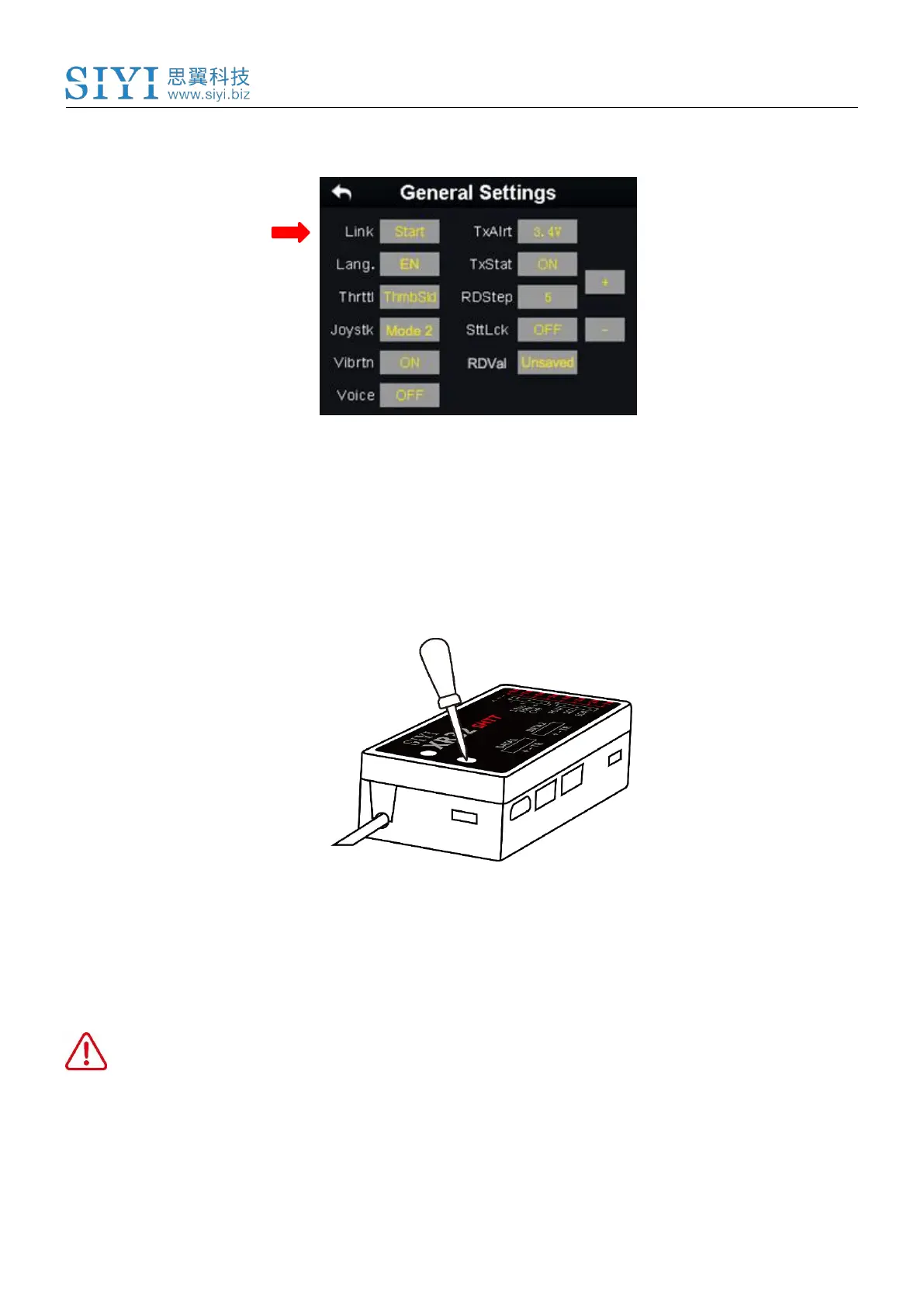
2. In transmitter screen menu, tap on “System Settings – General Settings”;
3. Turn to the Air Unit, stick a pin or needle to the linking button inside the linking
hole, press and hold the button for 3 seconds till the status indicator blinks red
which means the Air Unit is ready for linking;
4. Tap on “Link - Start” and wait for a second, if transmitter indicator and Air Unit
indicator both blink green, linking is finished.
WARNING
Before linking transmitter to Air Unit, please make sure your aircraft motors have no
power supply (E.S.C are off connection).



 To Next Page