DK32S User Manual (V1.3)
- 73 - 2022 SIYI Tech All Right Reserved
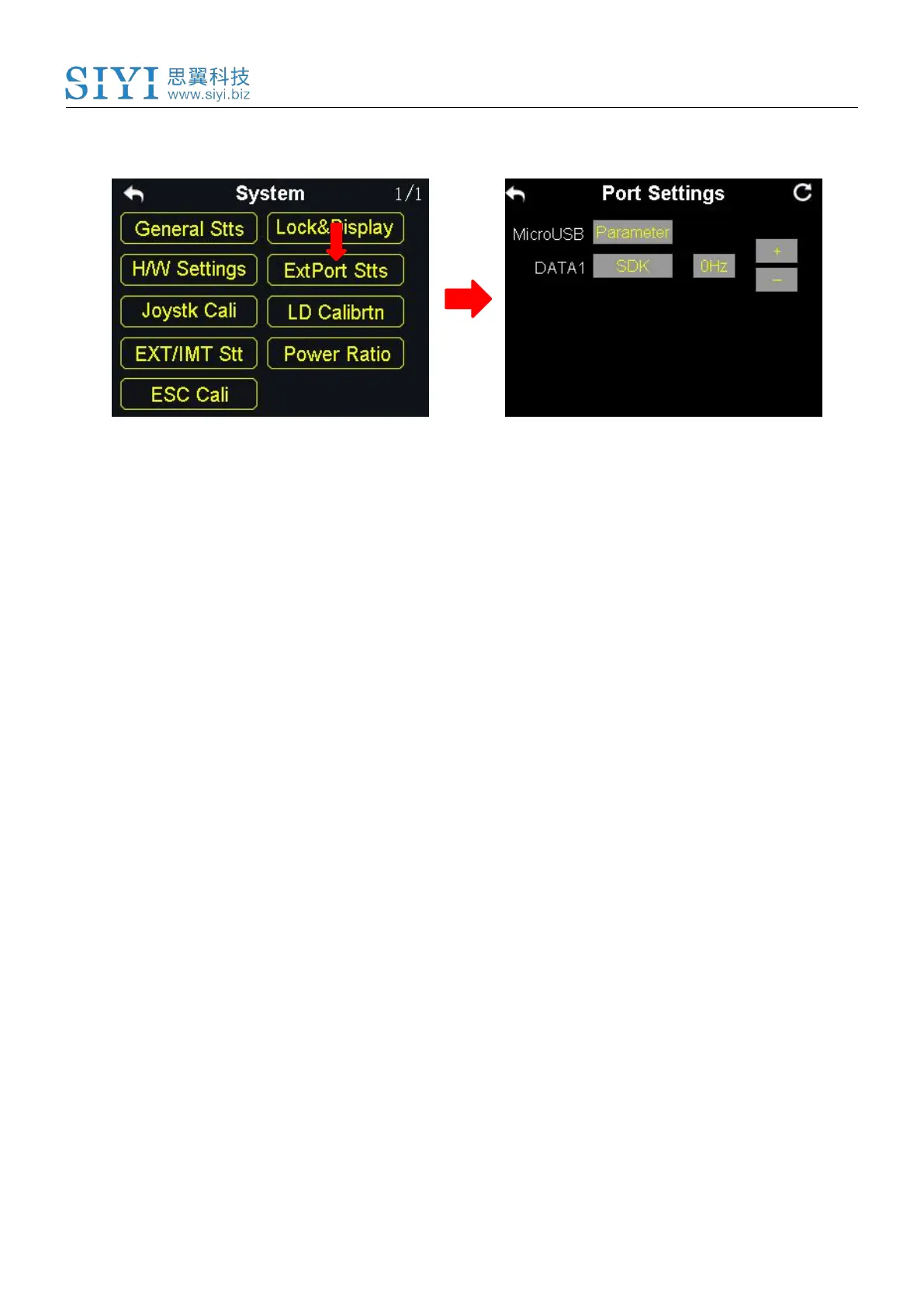
6.4 Extending Ports Settings
The extending ports function help users extend transmitter function to external
hardware devices and SDK. Currently the DK32S transmitter supports a
Micro-USB port, a USB port and a 4-Pin Groove Port (DATA1).
The Assigned Function to the Extending Ports
Micro-USB: Charging, parameter adjustment, firmware upgrading and datalink output.
USB: Datalink output.
DATA1: Firmware upgrading of the sky station, trainer mode and SDK.
Steps to
1. In the system settings menu, tap on “Extending Ports Settings”, in the screen it
shows the extending ports settings menu;
2. Select DATA1 to assign a function (transmitter / sky station / GPS / SDK);
3. Under “Transmitter”, the DATA1 port supports the trainer mode, output of the
trainer transmitter and input of the student transmitter;
4. Under “sky station”, the DATA1 port supports upgrading the sky station



 To Next Page