DK32S User Manual (V1.3)
- 77 - 2022 SIYI Tech All Right Reserved
6.6 LD Calibrating
Calibrating the left dial can maintain its output accuracy. The left dial requires
calibration when it stays out of the middle position (channel value is not 0) or it fails
to reach the maximum / minimum position.
Steps to Calibrate LD
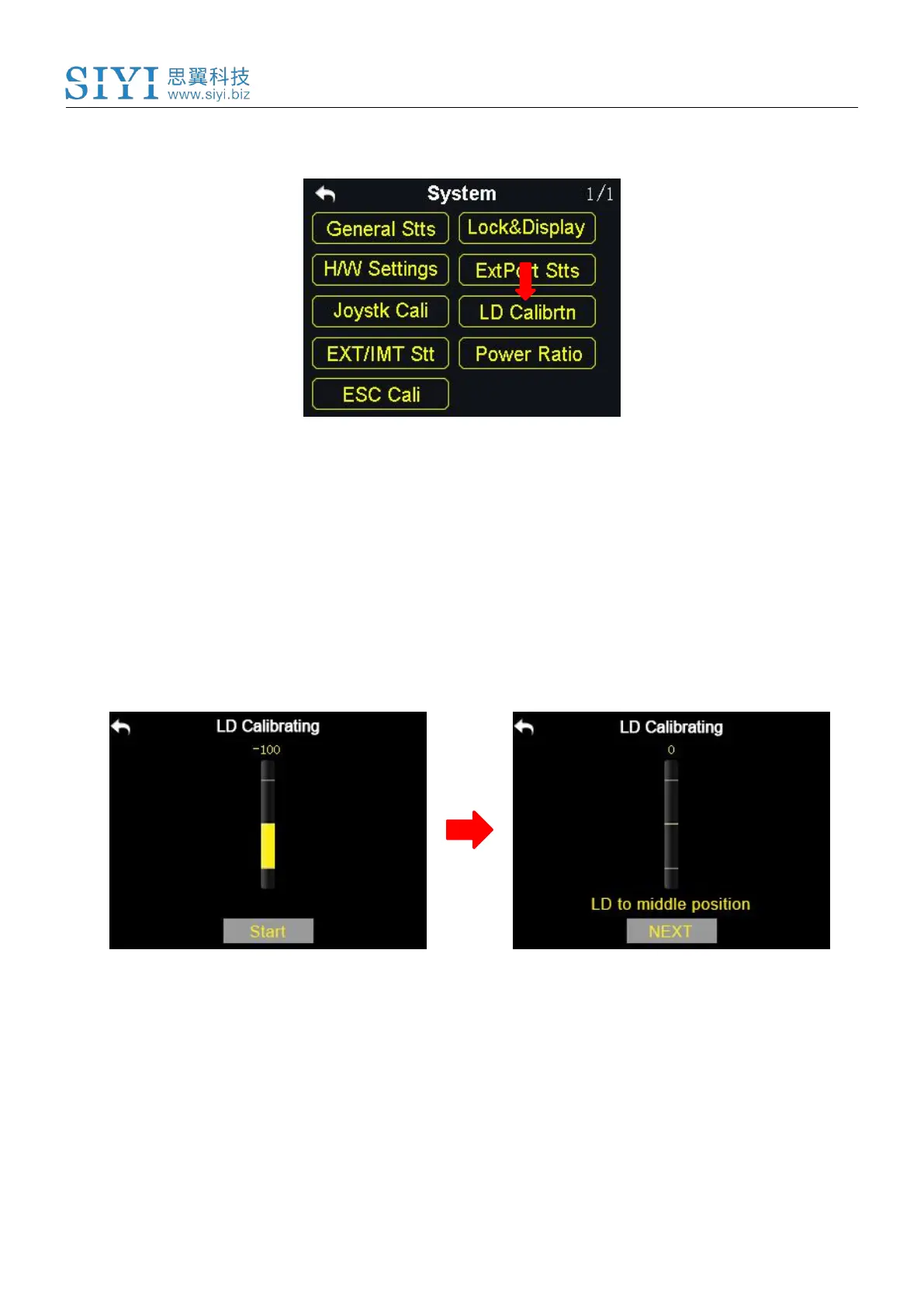
1. In the system settings menu, tap on “LD Calibrating”, in the screen it shows the
LD calibrating menu;
2. Tap on “Start”, in the screen menu it shows “LD to the middle position”;
3. Make sure the left dial is in the middle position, then tap on “Next”; in the screen
it shows “Calibrating LD’s middle position, do not move LD”;
4. Please do not touch the left dial until it shows “LD to the maximum and
minimum position”; follow the hint and repeat it several times;



 To Next Page