36
Model MMV Rev. 10/11
Operation
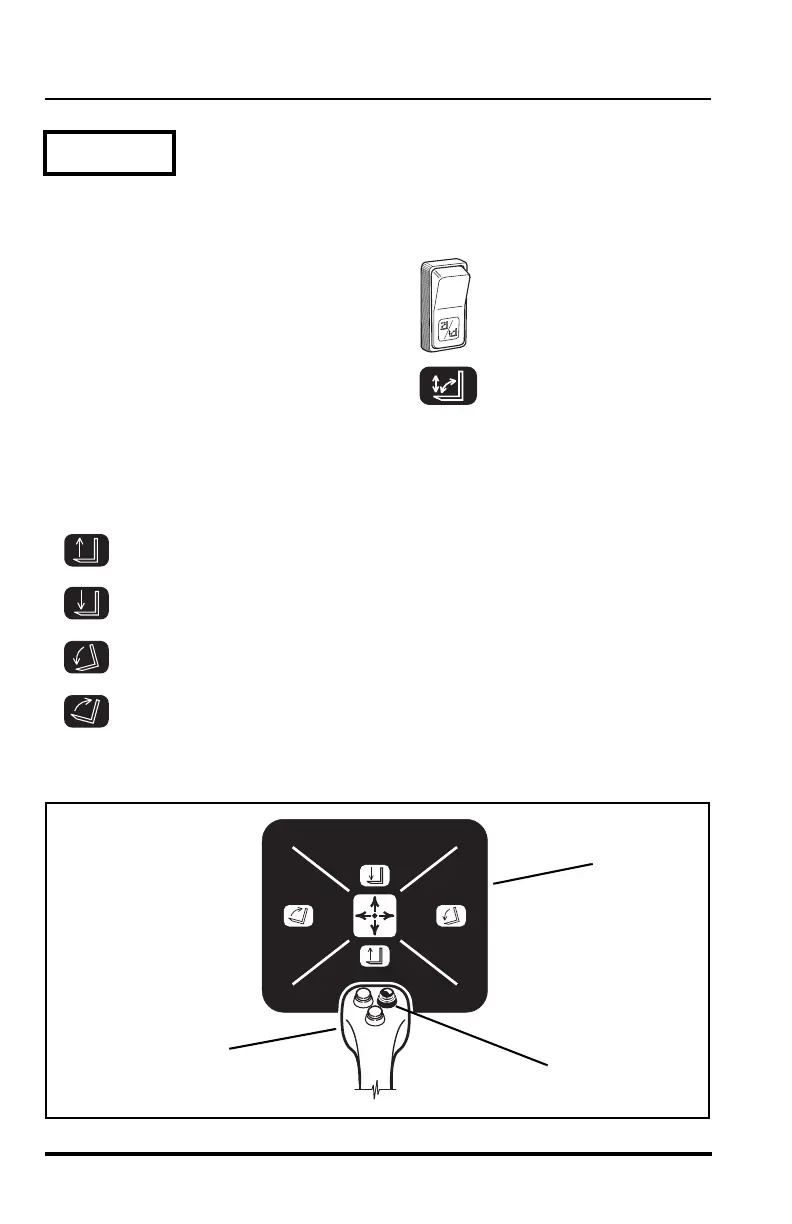
Boom Lift/Lower & Attachment Tilt Up/Down
(Right button depressed)
Press the bottom of the attachment tilt
mode switch in.
Press and hold the right button (1) on the top side of the muti-function
joystick (2). As the mode is activated the corresponding lights will illuminate
on the logic panel (3).
Boom Lift ...............................move handle backward
Boom Lower ..........................move handle forward
Attachment Tilt Down ............ move handle to the right
Attachment Tilt Up................. move handle to the left
Mode 2B


 To Next Page