CHAPTER 4
MAINTAINING YOUR INTERACTIVE WHITEBOARD SYSTEM
27 smarttech.com/kb/170782
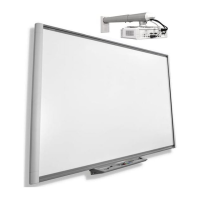
Cleaning the projector
WARNING
Cleaning a wall-mounted projector can result in a fall or injury. Use caution when climbing a
ladder.
CAUTION
l
Before you clean the projector, press the Power button twice on the remote control or
the projector keypad to put the system in Standby mode, and then wait 30 minutes for the
lamp to cool completely.
l Never touch the lens with your hands or a brush.
l Do not allow liquids or commercial solvents of any kind to flow into the projector base or
head.
Do not spray cleaners or solvents near any part of the projector because they can spread a
chemical mist on some of the projector’s components and lamp, resulting in damage,
staining or poor image quality.
l Do not use compressed air to clean the projector.
When cleaning the projector’s lens:
l Use a bellows bulb or air blower bulb (commonly found in audio-visual supply stores) to blow
off dust.
l If wiping the lens is unavoidable, wear protective gloves and gather the cleaning cloth into a
ball. Gently fan the cleaning cloth across the lens like you would a feather duster. Do not apply
any pressure to the lens.
Focusing and adjusting the projector image
For information on focusing and adjusting the projector image, see
Setting up the projector image
on page9.
Removing and replacing the projector lamp
module
Eventually the lamp module will dim, and a message will appear reminding you to replace the
lamp. Make sure you have a replacement projector lamp module before proceeding.


 To Next Page