6. ADAS Calibration
The ADAS calibration function is used to calibrate driver assistance systems with various cameras
and radars, such as front-facing cameras for lane departure warning systems, and radar sensors
for ACC (Adaptive Cruise Control), etc.
6.1 Activate ADAS Calibration Function
If you need to use the ADAS static calibration function, the user needs to activate the function
using the activation card (supplied with the ADAS calibration tool). The function is to be used with
the specified ADAS calibration tool (purchased separately).
Follow the steps below to activate:
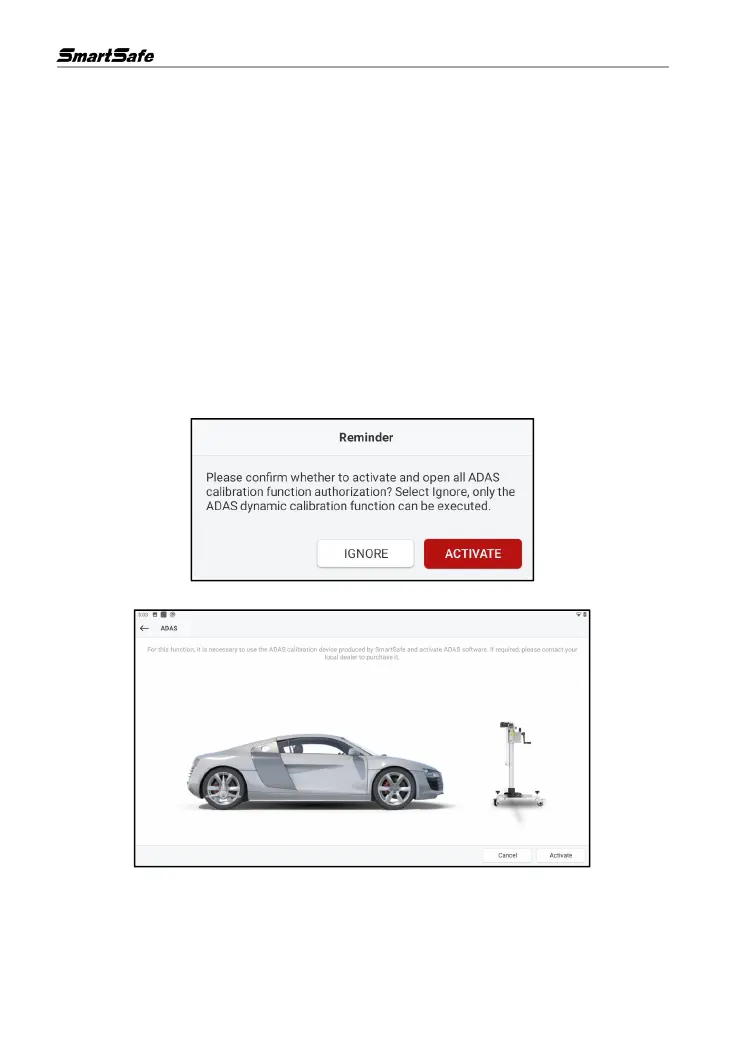
(1) Click ADAS Calibration on the main interface and select the ADAS calibration equipment used,
the following prompt box will pop up on the screen. Click ACTIVATE to enter the ADAS activation
page.
(2) Click Activate on the ADAS activation page.
(3) Scratch the ADAS Activation Card coating area to display the activation code. Enter the 24-digit
activation code and click ACTIVATE to activate the ADAS function.



 To Next Page