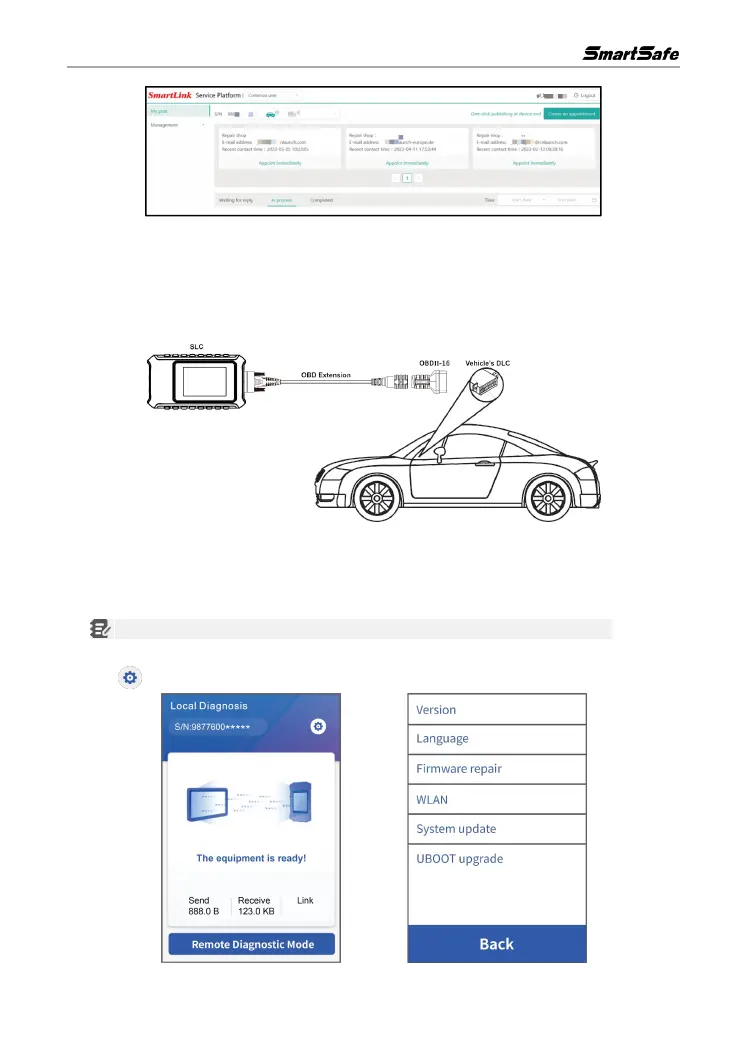
12.3 Start Diagnostics
1) Turn off the ignition switch of the vehicle.
2)
Use OBD extension cable and OBD-
II
connector to connect SLC to the
vehicle's Data Link
Connector (DLC).
3) There are two kinds of methods available for the SLC to connect the Internet:
Method 1: Via CAT-6 network cable (strongly recommended)
Plug one end of CAT-6 network cable into the LAN/WLAN port of SLC , and the other end into
the LAN port of network modem.
Note: The network broadband of 100MB and above is required for this operation.
Method 2: Via WLAN
Tap -> WLAN. Choose the target wireless network to proceed until Connected appears .



 To Next Page