4.2 Manual Selection
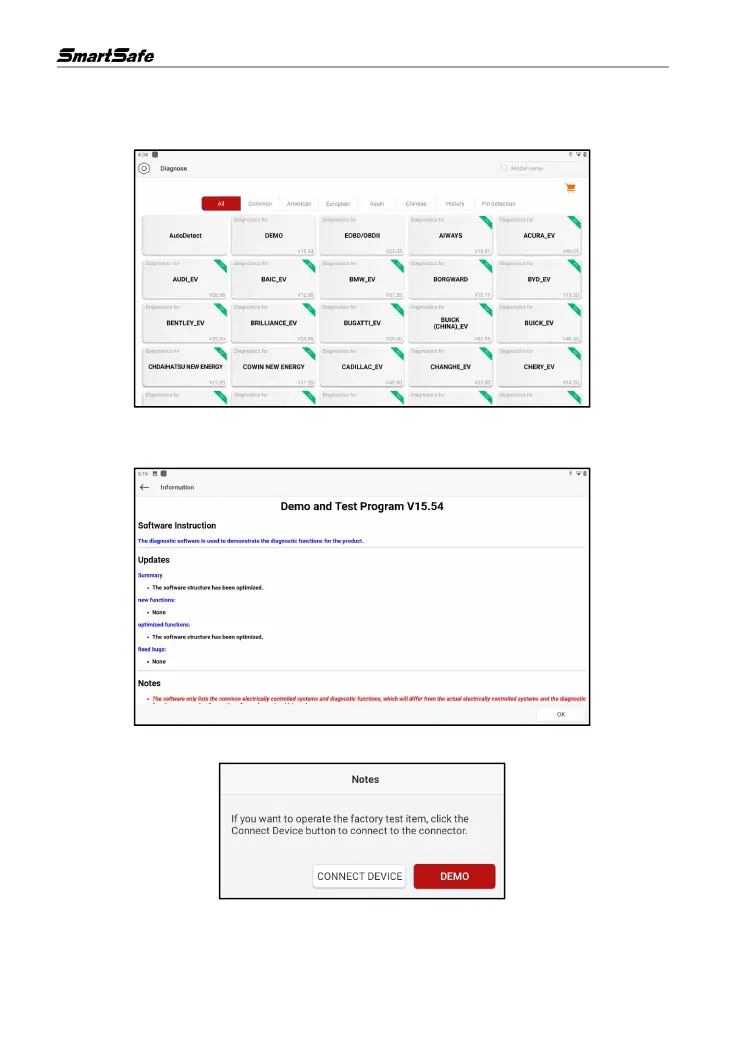
1) Click Diagnose in the main interface to enter the vehicle brand selection interface.
2) Click on the corresponding brand of the vehicle to be inspected, here we take Demo (Version
15.54) as an example to demonstrate how to diagnose a vehicle.
3) Tap DEMO to go to the next step.
4) Select vehicle brand and model. Here we take VW as an example.



 To Next Page