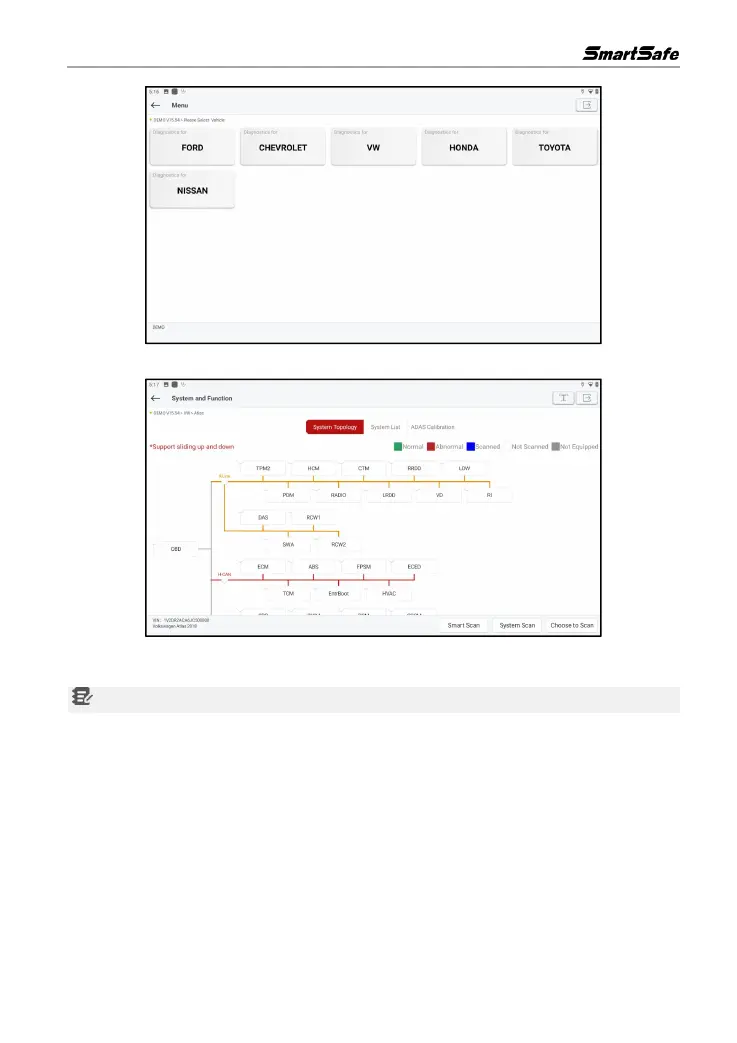
5) Select the scan option that need to perform.
The system supports both topological graph and list display. Users can also click on "ADAS
Calibration" to perform the vehicle's ADAS-related test options.
Note: The specific system and special functions provided depend on the vehicle type.
4.2.1 Smart Scan
The function is used to quickly inspect the vehicle and directly output the vehicle health report (this
item will be displayed only when the model inspection software supports the function).
After clicking Smart Scan in the test item selection interface, the system will start scanning each
system for fault codes.



 To Next Page