11. Remote Diagnose
The function module is used to remotely assist users in diagnostic operations.
11.1 Request remote help
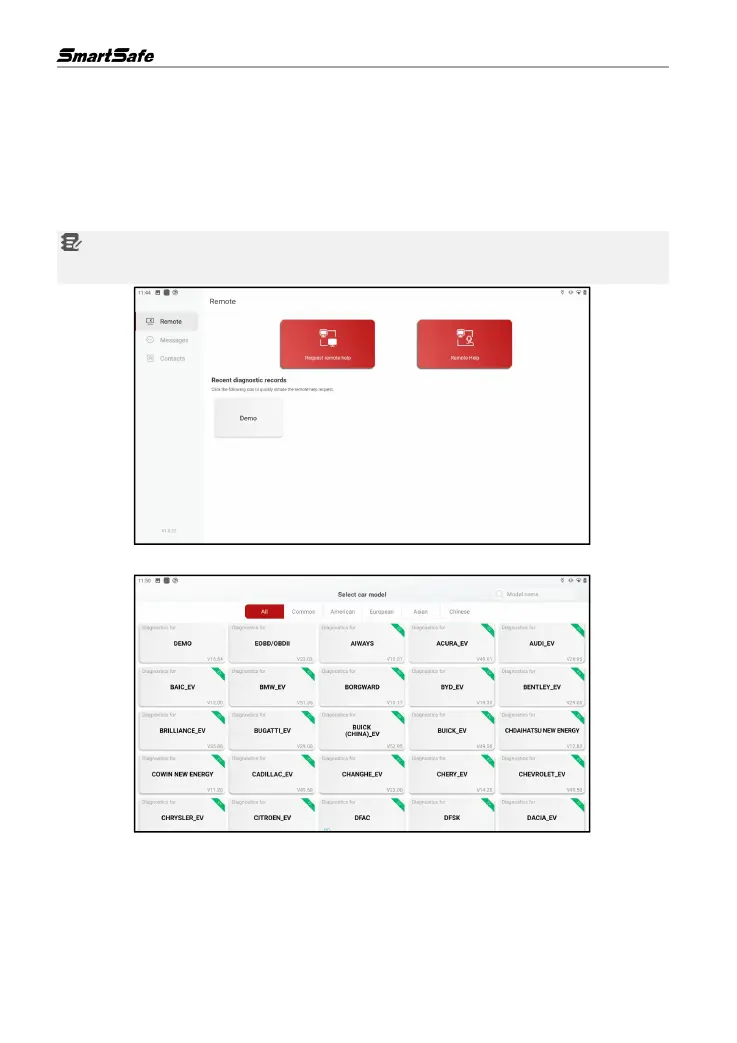
On the main interface, click Remote Diagnose to enter the remote diagnose interface.
Notes: Clicking on the corresponding software icon of the vehicle model under the Recent
diagnostic records tab can quickly initiate a remote assistance request.
Click Request remote help to enter the software selection interface of the car model.
According to the car to be diagnosed, select the corresponding model software (here take Demo
as an example), the screen will pop up the following dialog box.



 To Next Page