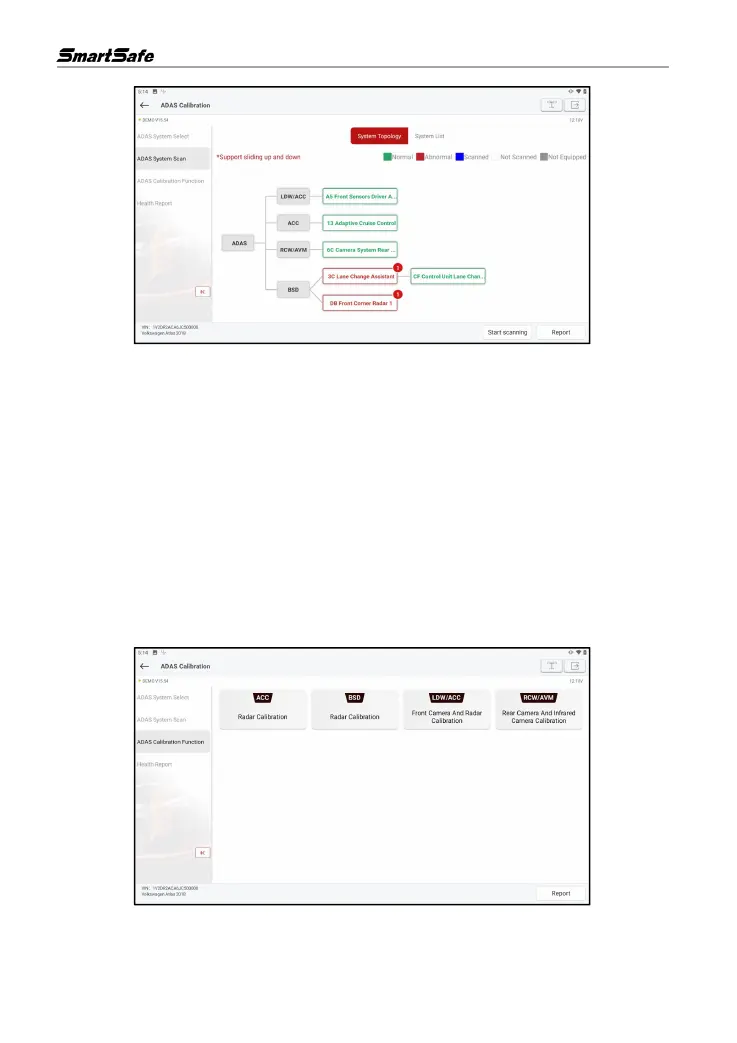
The ADAS system supports both topological graph and list displays. Click Start Scan to start
scanning ADAS systems one by one. After the scanning is completed, click on the system that is
displayed in red (the system is displayed in red, which means that there is a fault code for the
system) to view the fault code, and click on the system that is working normally (the system is
displayed in green, which means that the system is working normally) to perform other diagnostic
functions.
6.2.3 ADAS Calibration Function
This option allows the user to perform ADAS calibration operations. To perform the function, a
calibration tool such as ADAS Mobile or ADAS PRO+ is required. The calibration tool is used to
locate the calibration target and the tablet is used to guide the user in placing the calibration tool
and manipulating the ADAS calibration.
Click ADAS Calibration Function to go to the following page
Click on the item to be calibrated and then follow the on-screen instructions to perform the
calibration function.



 To Next Page