SEMI-AUTOMATIC
14
4.2 Keys, icons and indicators
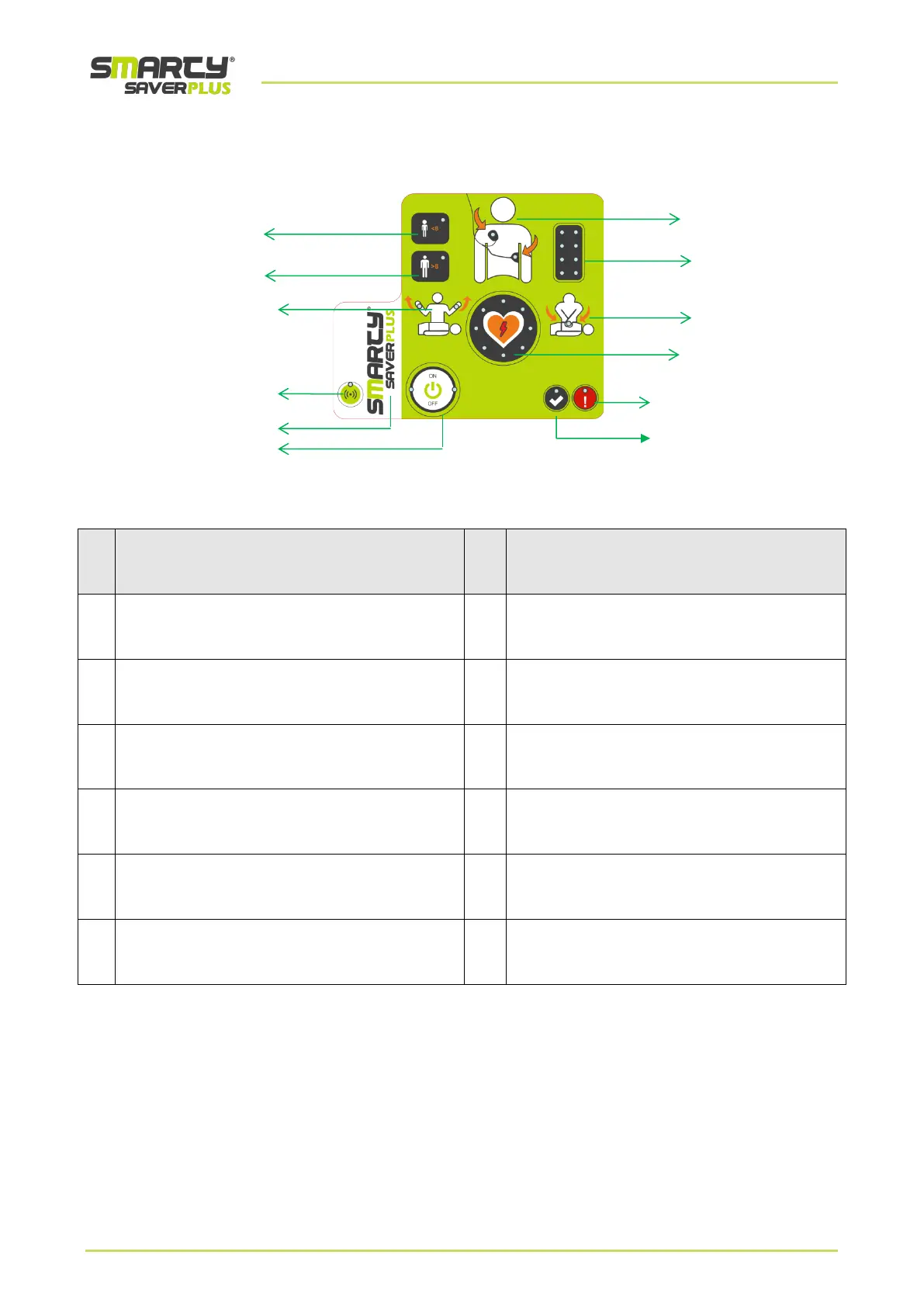
Paediatric Selection Button
Selection of the paediatric patient type
using universal plates
Green control LED
In stand-by mode:
correct operation status of the device
Adult Selection Button
Selection of the adult patient type
using universal plates
Red control LED
In stand-by mode:
device error status
“Do Not Touch” indicator
Icon with lit illuminated LEDs: do not touch the patient
Shock button
Delivery of the defibrillation shock
Connection with “CPR Quality sensor” LED.
When lit, it indicates connection with activated Bluetooth.
“CPR” indicator
Start Cardio-Pulmonary Resuscitation
Product logo
Device model
CPR LED bar
Quality indicator of ongoing CPR.
“ON/OFF” button
Switch the device on/off
“Place plates” indicator
Place the defibrillation pads.



 To Next Page