SEMI-AUTOMATIC
30
8.3 µSD memory Card
Memory cards supported are µSD/SDHC cards with a capacity of up to 32 GB.
To install the memory card in SMARTY Saver Plus, please follow the procedure below:
A. Make sure the device is switched off and place it on a hard and stable surface and remove the battery (see par.
5.1.1)
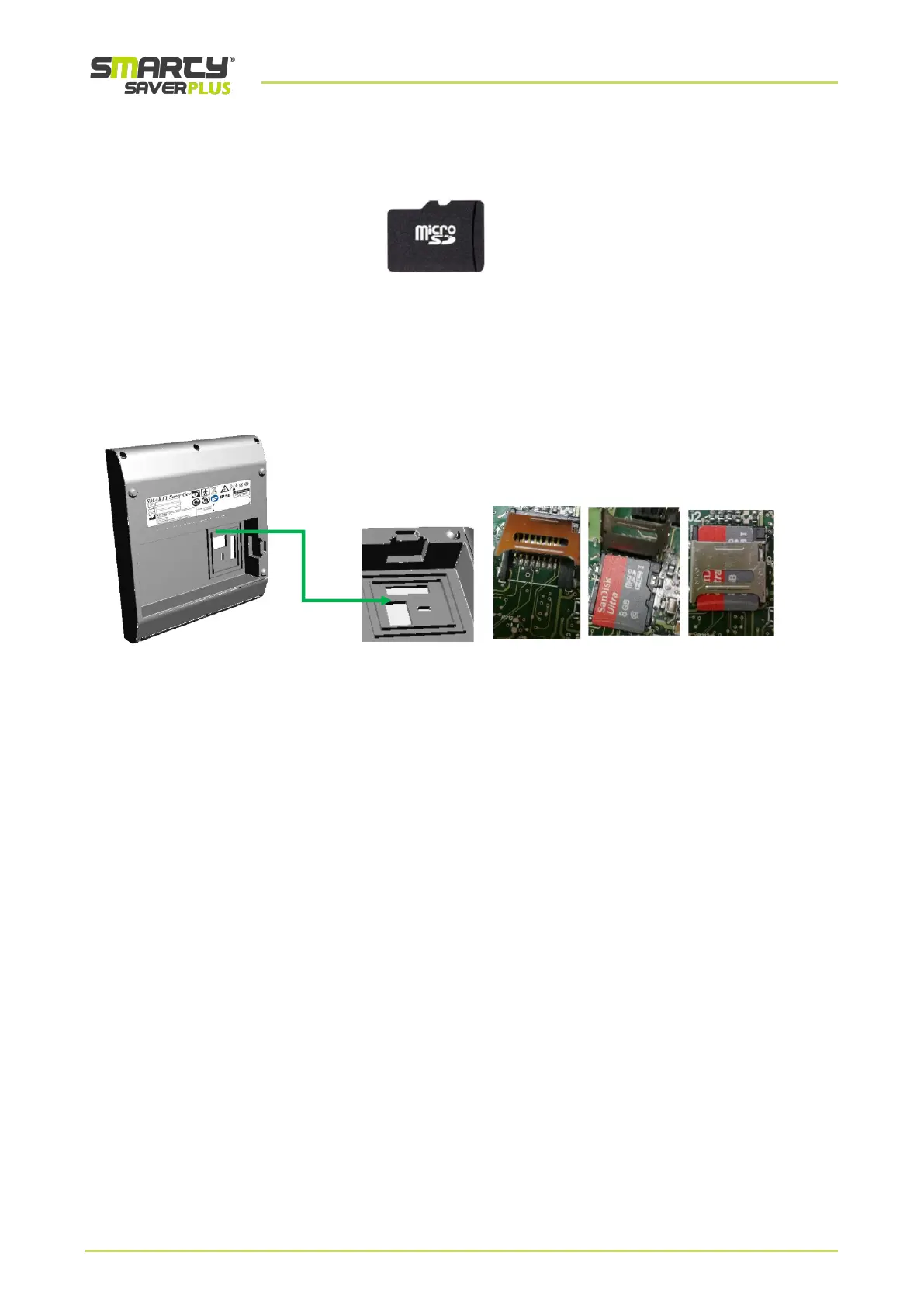
B. Identify the housing of the µSD card as indicated (see figure below).
C. Lift the lid, insert the memory card with the contacts turned inwards and close the lid as indicated in figure
D. Re-attach the battery (see par. 5.1.1)
The data recorded directly on the µSD memory can be downloaded and displayed on a PC using the PC Saver View
Express software owned by Ami Italia.



 To Next Page