EasyManua.ls Logo

SMC Networks EX245-FPS1 - User Manual

SMC Networks EX245-FPS1
113 pages
Print Icon
To Next Page IconTo Next Page
Loading...
No.EX##-OMY0004
PRODUCT NAME
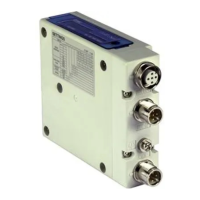
SI Unit
MODEL / Series
EX245-FPS1
EX245-FPS2
EX245-FPS3
PRODUCT NAME
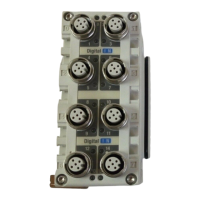
Digital Input Module
MODEL / Series
EX245-DX1
PRODUCT NAME
Digital Output Module
MODEL / Series
EX245-DY1

Table of Contents

Questions and Answers

  • E
    ebrownAug 17, 2025
    What to do if BF indicator is ON on SMC Networks EX245-FPS1 Control Unit?
    • Y
      yatesadrianAug 17, 2025
      If the BF indicator is ON, it indicates no bus communication. You should check the cables and ensure the unit is connected to the IO Controller.
  • G
    gomezstacyAug 22, 2025
    What to do if BF indicator is flashing on SMC Networks EX245-FPS1?
    • R
      Regina AllenAug 22, 2025
      A flashing BF indicator suggests that the configuration is defective, the device name is incorrect, the GSD file is incorrect, or the IO Controller is defective. Therefore, you should check the configuration, the device names, the GSD file and the IO Controller.
  • Y
    ylunaAug 25, 2025
    What to do if US1 indicator is OFF on SMC Networks EX245-FPS1?
    • C
      Christopher PhillipsAug 25, 2025
      If the US1 indicator is OFF, this may be due to incorrect wiring or the US1 is not present or below the dropout level. Check the cable, wiring and pin numbers, and check the supply for the logic/sensors.
  • T
    Tammy GomezAug 28, 2025
    What to do if US2 indicator is OFF on SMC Networks EX245-FPS1?
    • J
      Jonathan HansonAug 28, 2025
      If the US2 indicator is OFF, this may be due to incorrect wiring or the US2 is not present or below the dropout level. Check the cable, wiring and pin numbers, and check the supply for the valves/loads.
  • B
    Brenda JohnsonAug 30, 2025
    What to do if US1 indicator is flashing on SMC Networks EX245-FPS1 Control Unit?
    • M
      Mr. Mark Delacruz PhDAug 30, 2025
      If the US1 indicator is flashing, it means US1 is below the permissible level but above the dropout level. Check the supply for the logic/sensors.
  • R
    rsingletonSep 2, 2025
    What to do if US2 indicator is flashing on SMC Networks Control Unit?
    • T
      Tammy SmithSep 2, 2025
      If the US2 indicator is flashing, it means US2 is below the permissible level but above the dropout level. Check the supply for the valves/loads.
  • P
    Patricia TateSep 5, 2025
    Why is the solenoid valve not operating on my SMC Networks EX245-FPS1 Control Unit?
    • M
      Michael CampbellSep 5, 2025
      If a solenoid valve isn't working, the cause may be an incorrect connection or the solenoid valve is faulty. Check the connection with the SI Unit and check the solenoid valve.
  • L
    Lisa PottsSep 7, 2025
    What to do if FO indicator is ON on SMC Networks Control Unit?
    • J
      Jose ParksSep 7, 2025
      If the FO indicator is ON, the strength of the Fibre-Optic communication is 0 dB. Check the cable and the next device.
  • M
    Marissa JordanSep 10, 2025
    What to do if FO indicator is flashing on SMC Networks EX245-FPS1?
    • K
      Kevin EvansSep 12, 2025
      If the FO indicator is flashing, the strength margin of the Fibre-Optic communication is more than 0 dB but less than 2 dB. Check the cable and the next device.
  • J
    Jared LawsonSep 10, 2025
    What to do if SF indicator is ON on SMC Networks Control Unit?
    • S
      sheilacaseySep 12, 2025
      If the SF indicator is ON, it signifies that a diagnostic event has occurred, the configuration data sent by the IO Controller does not match the actual layout, the power supply is not present or is below the dropout level, at least one valve coil has a short circuit and at least one connected module has a short circuit or the module layout has changed, or a connected module is defective. You should check the diagnostic event, the configuration of the SI Unit and the module layout, the power supply and supply voltage level, both the solenoid valve for a short circuit and the module error/layout, and the connected module.

SMC Networks EX245-FPS1 Specifications

General IconGeneral
BrandSMC Networks
ModelEX245-FPS1
CategoryControl Unit
LanguageEnglish

Related product manuals