13
snom 821 User Manual Setting up the Phone
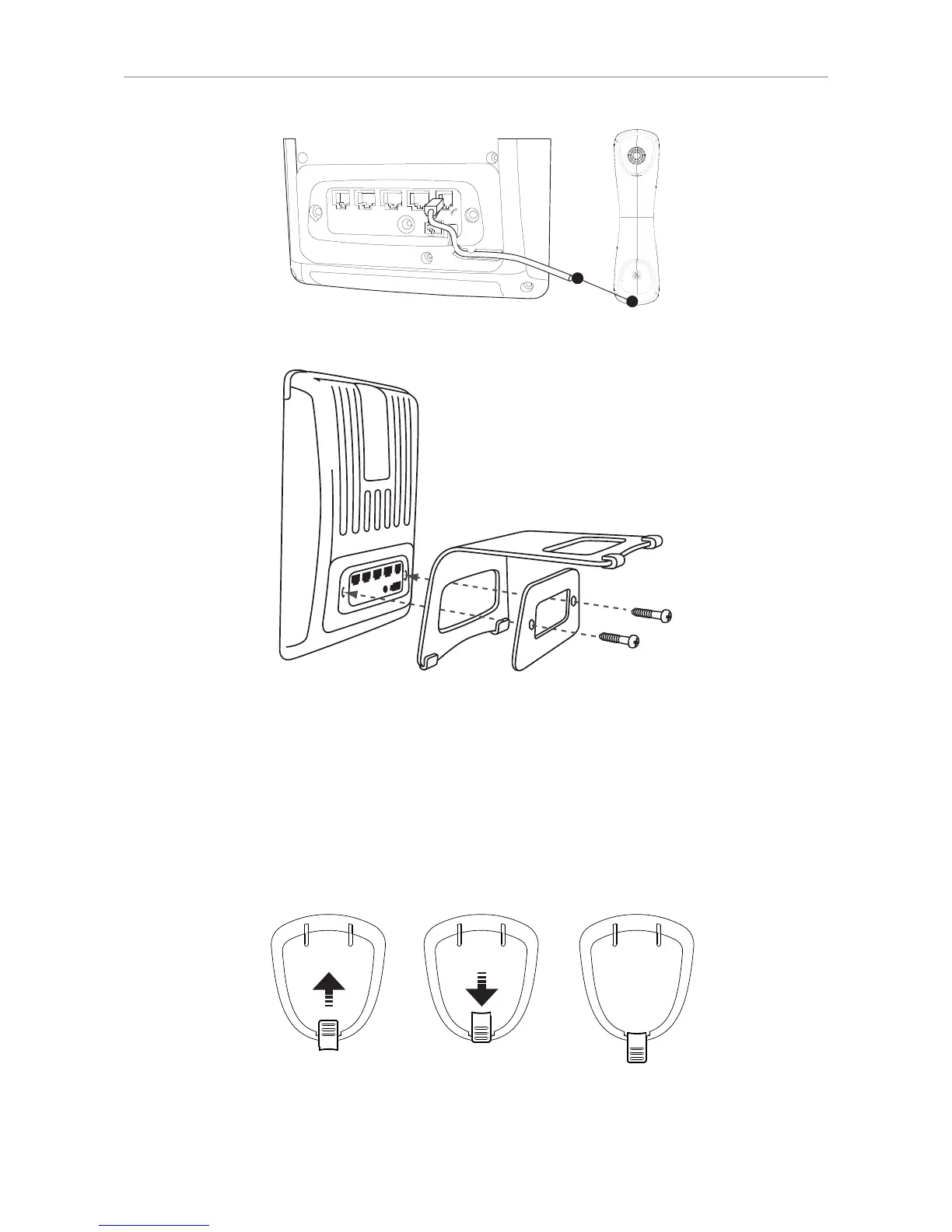
3. Attach the footstand with the bracket and the 2 screws.
4. Place the phone on an even, horizontal surface.
Rotating the tab of the handset cradle
The phone is delivered with the tab protruding slightly above the cradle's inner edge. The small
rectangular hold in the handset fits perfectly over the protruding tip, holding the handset securely in
place when the phone is in the upright (55°) position. When the phone is used in the slanted (33°)
position, the tab can be rotated 180° for easier lifting and replacing of the handset.



 To Next Page