19
snom 821 User Manual Getting to Know Your Phone
Confi guring the keys: See "Confi guring the Function
Keys"
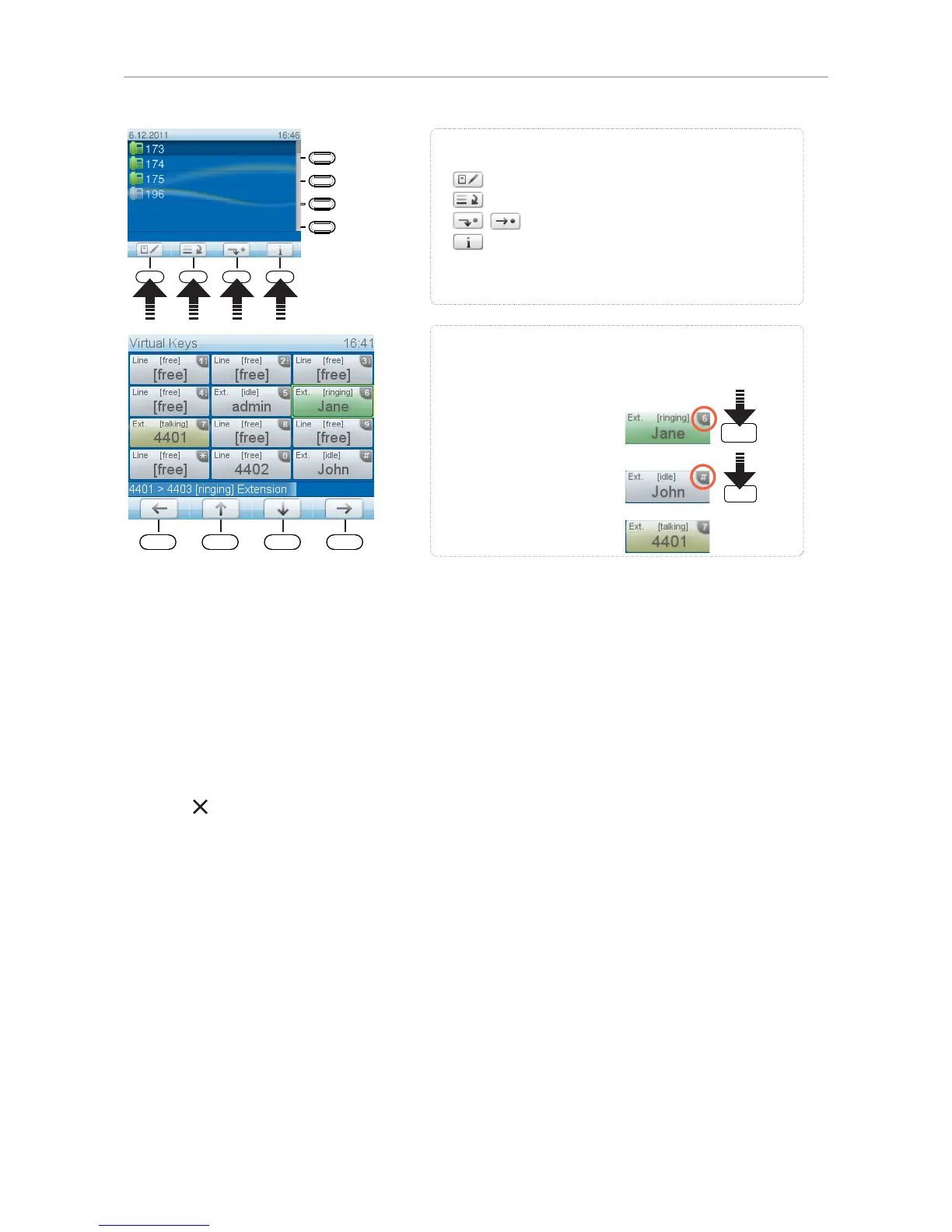
Press key P1 for 2 seconds to open virtual function key screen.
Using the virtual function keys: Press the alphanumeric key
shown in the upper right corner of the respective function key.
Examples:
• Yellow key: Extension busy
• Call pickup (green key):
• Dial extension:
Context-sensitive, programmable
function symbols and function keys
Select outgoing identity, incl. inactive identities
Call lists (missed, received, dialled calls)
Forwarding all calls (on/off)
Show complete list of current status information
Press the function key to activate the function, open the list etc.
depicted by the symbol above the key.
P1
P2
P3
P4
Virtual function keys
Virtual function keys can be freely programmed with numerous functions and key events. They are
particularly useful for monitoring other extensions and call pickup, alerting to calls parked on a park
orbit, etc. The virtual function key screen will appear whenever the mapped activity occurs, for example
when a call is ringing on a monitored extension or when a call has been parked on the park orbit.
• To initiate or execute the function mapped onto the virtual key, press its number or character on the
alphanumeric keypad.
• Press to return to the idle screen.
For information on how to map functions onto these keys, see "Configuring the function keys" on page
58. The factory default setting is "line".
LED indications
Call indicator
The bright-red LEDs situated around the upper right corner of the phone indicate incoming, ongoing,
held, and missed calls. They will be:
• Blinking rapidly when a call is coming in
• Glowing steadily when dialling, when in a call, and when a call is on hold
• Blinking slowly when there was a missed call



 To Next Page