62
snom 821 User Manual Configuring the Function Keys
Example 1, Extension monitoring and call pick-up
This feature makes it possible to pick up a call ringing on another extension, for example when the other
extension is busy or when the user is absent. The prerequisites for this function are:
◦ It must be supported by the PBX.
◦ The extension whose calls you wish to pick up on your own extension must permit this function
and you must both be using the same ID for this function. Settings:
- Phone's web interface > Configuration Identity > SIP > Allow incoming extension
monitoring: "on"
- Phone's web interface > Configuration Identity > SIP > Extension monitoring group ID:
Enter the ID into the textfield. Please note: The first character of the ID must not be a '{'
bracket.
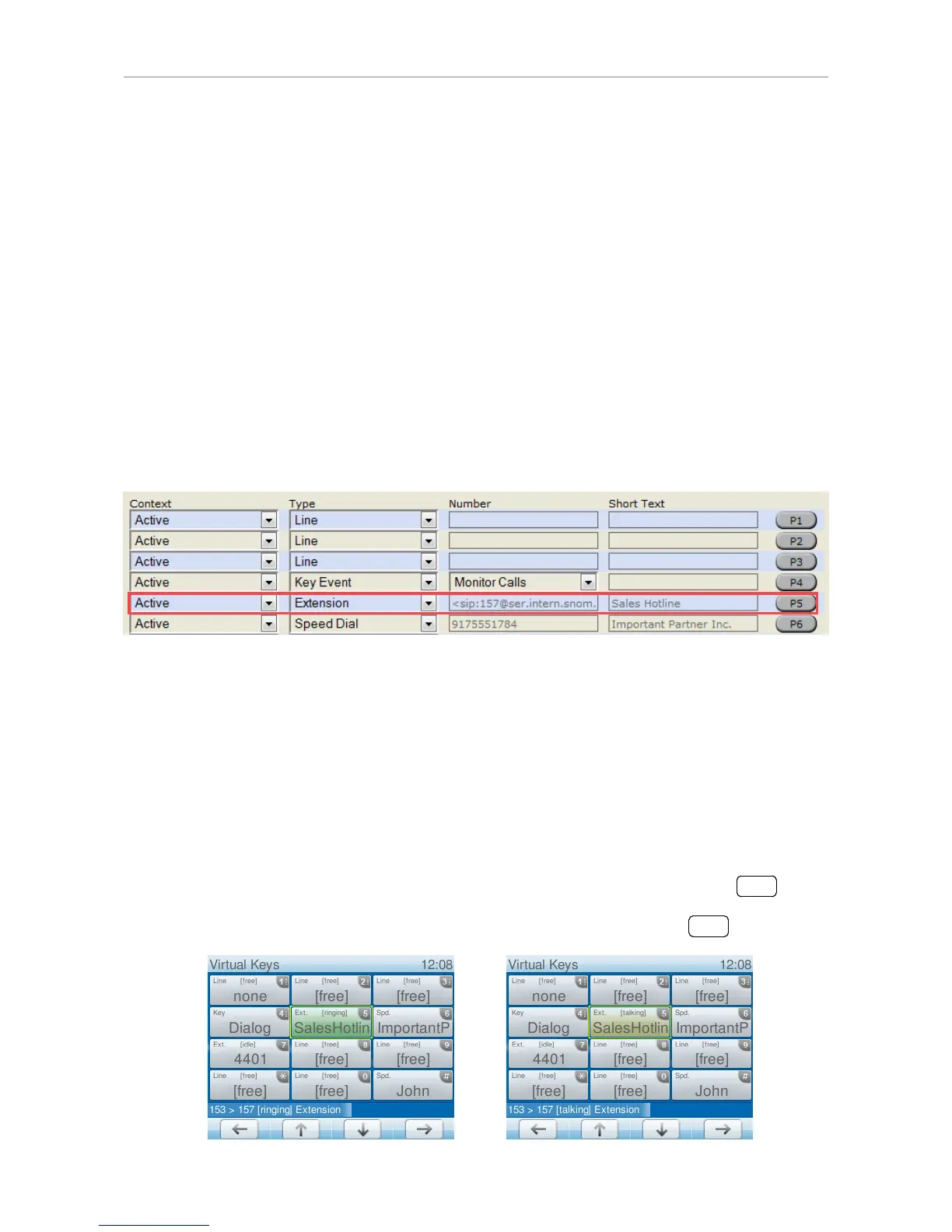
◦ The extension to be monitored must be programmed onto one of the freely programmable
function keys. In our example we are monitoring the number of the Sales Hotline on virtual
function key P5.
1. On the phone's web interface, click on "Function Keys" in the menu on the left.
2. Under "Context" of P5, select Active or one of the configured identities from the drop-down list.
3. Under "Type" of P5, select "Extension" from the drop-down list.
4. Under "Number" of P5, enter the phone number whose calls you wish to pick up. In our example it
is 157.
5. Under "Short Text" of P5, enter "Sales Hotline" in the text field (optional, but helpful).
6. Click on "Apply" and "Save".
When a call is ringing on 157, the virtual keys screen will appear on the display, and the virtual key "5"
will be green and say "ringing". If the call is not answered, you can pick it up by pressing



 To Next Page