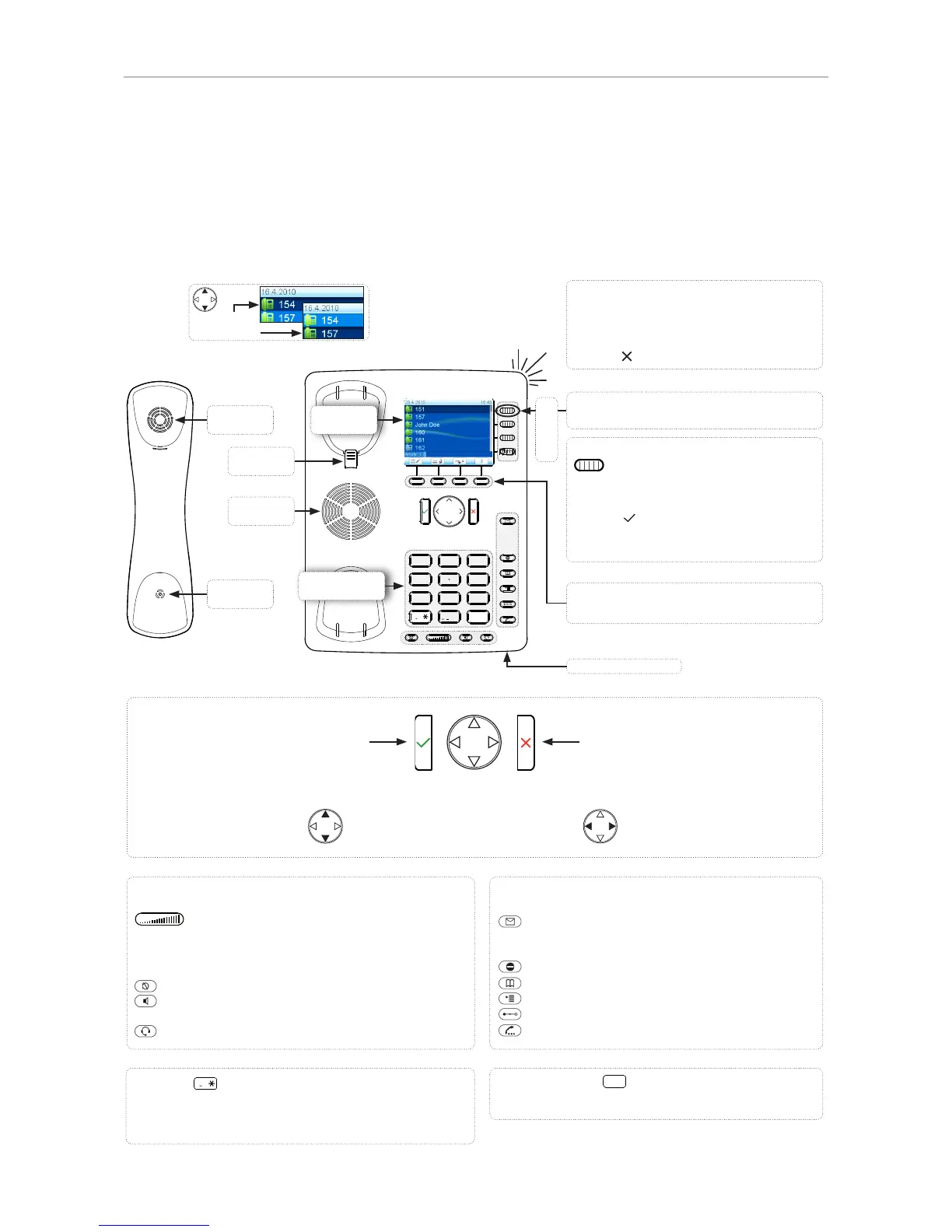
Default setting: Line
• Fast-blinking LED: Incoming call. Press
key or to accept
• Steadily lit LED: In call
• Slow-blinking LED: Call on hold
Context-sensitive, programmable
function keys
Pound (hash) key
#
:
Rescue mode for TFTP update
Star key
a A
• Switching between upper & lower case when pressed
briefl y while in letter mode
• Press for 3 seconds: Lock/unlock the keypad
Outgoing
identity:
Adjusting the volume
• of the ringer when the phone is idle or ringing
• of the handset/casing loudspeaker when in a call
Keys with LED - key lights up when function is activated:
Muting and unmuting the microphone
Toggling between handsfree and handset mode. Press
to dial number and accept calls on speakerphone.
Headset mode on/off
Audio control keys
Dedicated, customizable function keys:
MWI key with LED
• Lit when message is waiting on mailbox
• Press to listen to message(s)
Turn DND (do not disturb) on/off
Directory
Settings menu
Transfer
Hold
• Confi rming, saving actions & input, and
returning to previous screen
• Accepting calls on speakerphone and in
headset mode
• From idle screen: Redial
• Canceling actions & input, and returning
to previous screen
• Terminating calls on speakerphone and
in headset & handset modes
• Turning off call LED after missed call
• From idle screen: Missed calls
• From idle screen: Selecting
identity for outgoing calls
• In other contexts: Navigate
up/down
• From idle screen: Received calls
• In other contexts: Navigate/space
left
• From idle screen: Missed calls
• In other contexts: Navigate/space
right
Alphanumeric
keypad
Casing microphone



 To Next Page