SmartSMS User Manual Soft dB inc.
User Manual p. 105
Appendix D: Soft dB Precision Microphone Set-Up
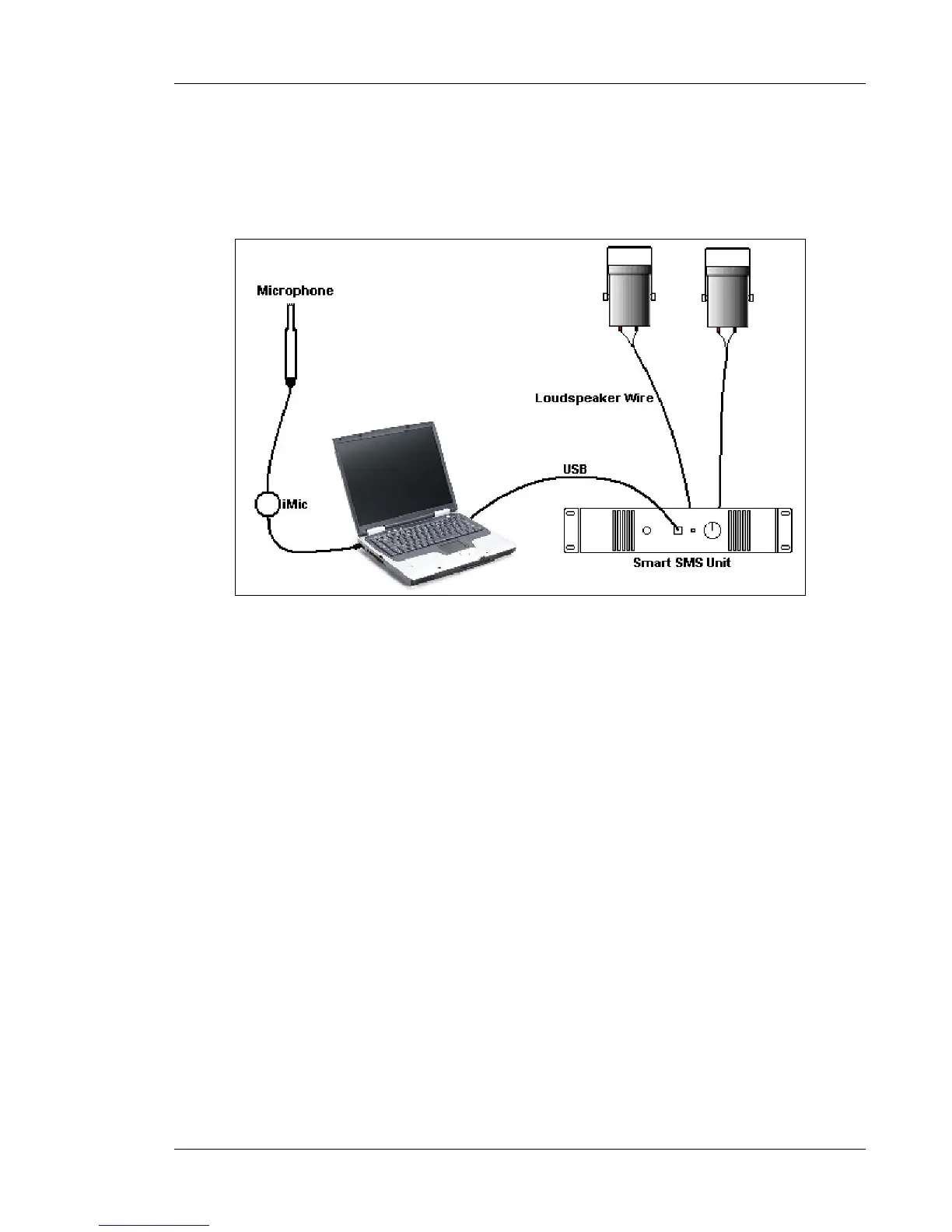
Step 1: Connect the Precision Microphone to the imic device, and connect the imic to a USB
port of the computer
Figure 99: imic and microphone connection
Step 2: Verify that the “IMIC” device as been properly selected by Windows
Note: The figures provide below are valid for Windows XP. It could vary if you have another version
of Windows.)
A) In the start menu, go in the “control Panel”
B) Select "Sound an Audio Devices"



 To Next Page
 Loading...