SmartSMS User Manual Soft dB inc.
User Manual p. 74
7.3 Set the Active Controller
When the equalization of the SmartSMS unit is done and the Smart Sound Level Sensors are
installed and connected to the SmartSMS unit(s), use the Active Control function to set and
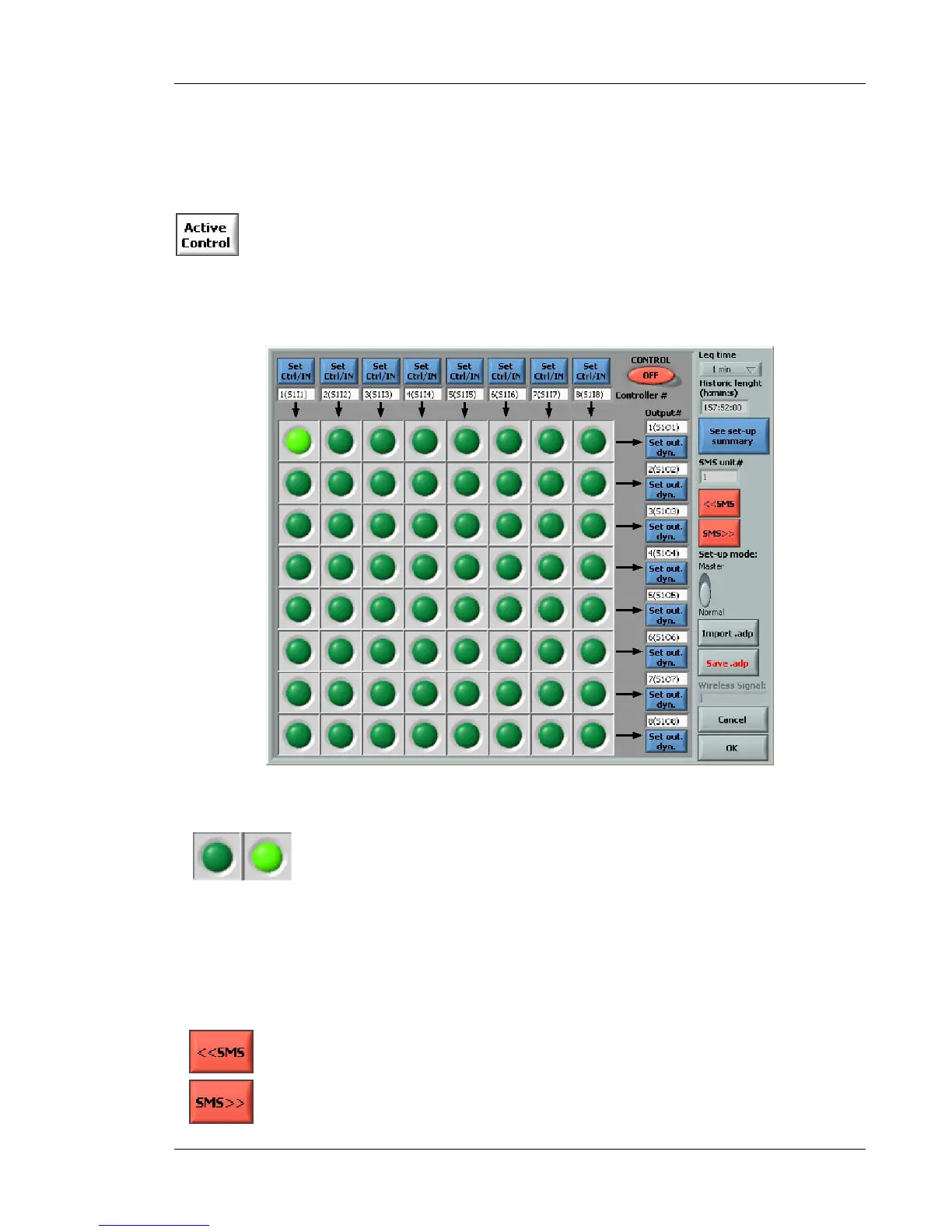
activate the controller:
Figure 68: Controller set-up dialog box
Push buttons that allow the selection of the input signal used to control the
output volume (dark green means OFF, light green means ON). Note that:
1. Each SmartSMS unit has up to 8 active inputs allowing the use of 8
independent controllers (top of the matrix). These inputs are labelled
“Active #1” to “Active #8” on the rear panel of the standard SmartSMS
unit.
2. One input controller can be used to control several outputs.
3. An output can be controlled by only one input controller.
4. If no input is selected for an output, this output is not controlled.
Push buttons that allow the selection of the specific SMS unit considered in
the dialog box.
Note: The configuration of the controller is carried out by the SMS unit. If
an active zone is distributed between two SmartSMS units, the signal from



 To Next Page