SmartSMS User Manual Soft dB inc.
User Manual p. 64
6.5.8 Hardware Information and Configuration Key
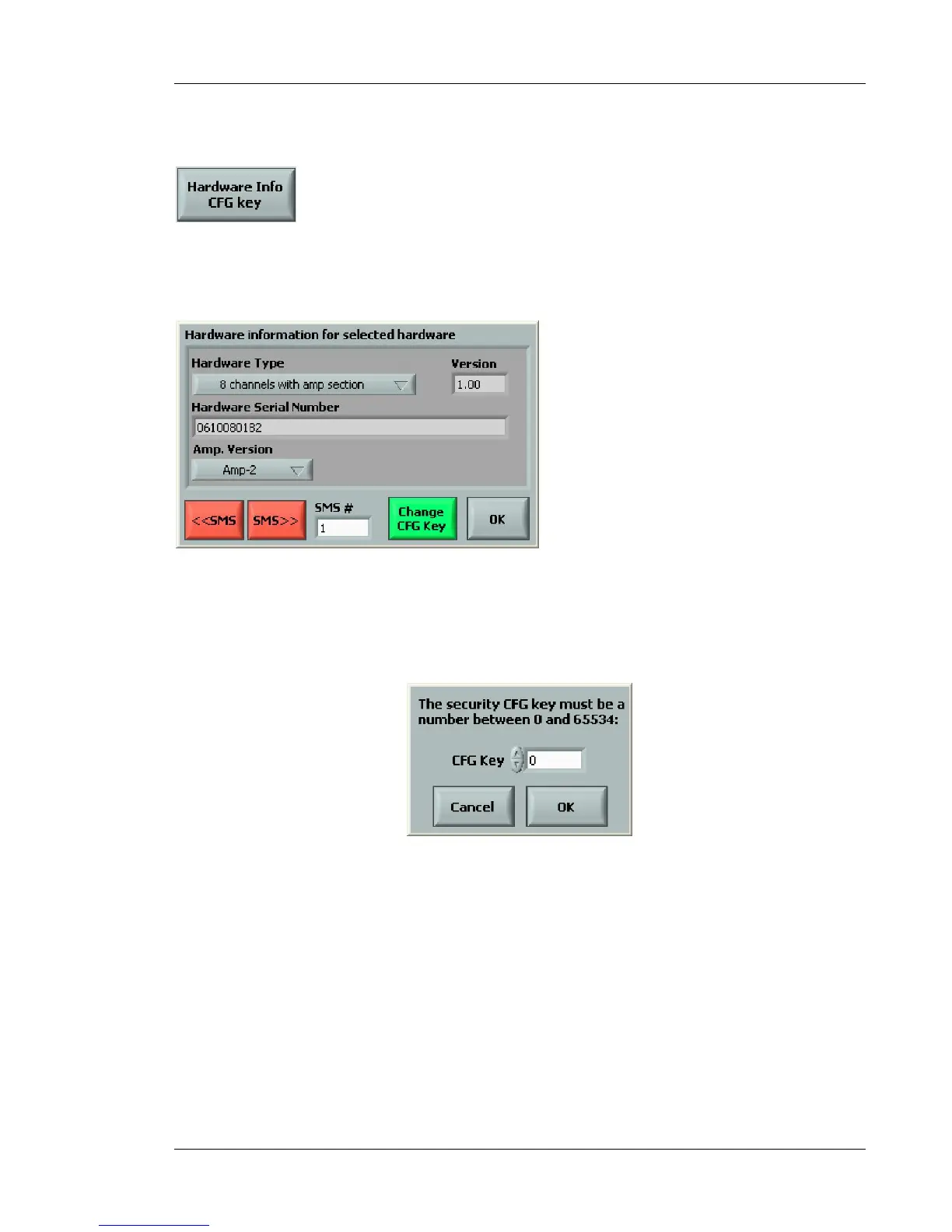
The Hardware Info/CFG Key button is used to access the hardware information about the
connected SmartSMS unit(s) and to set a protection key if needed. When you click on this button,
the following menu appears:
Figure 55: Hardware information window
This menu presents some information about the SmartSMS system. A protection key for the system
can be added with the Change CFG Key function.
Figure 56: Change CFG key window
When you enter a Security Key number, the key is written on the SmartSMS (when the
configuration is loaded) and on the PC. This key acts as a general configuration security key.
The access to the configuration of the SMS unit(s) will be blocked when the following two conditions
are true:
1) The configuration file running on the SmartSMS unit(s) can’t be found on the PC.
2) The security key number on the PC is not the same as the one in the SmartSMS unit(s).
Using this method, if the configuration file running on the SMS unit is also on the PC, the user
automatically has access to the unit.
If the security key number on the PC is the same as the one on the SmartSMS unit(s), the user
automatically has access to the unit.



 To Next Page