SmartSMS User Manual Soft dB inc.
User Manual p. 63
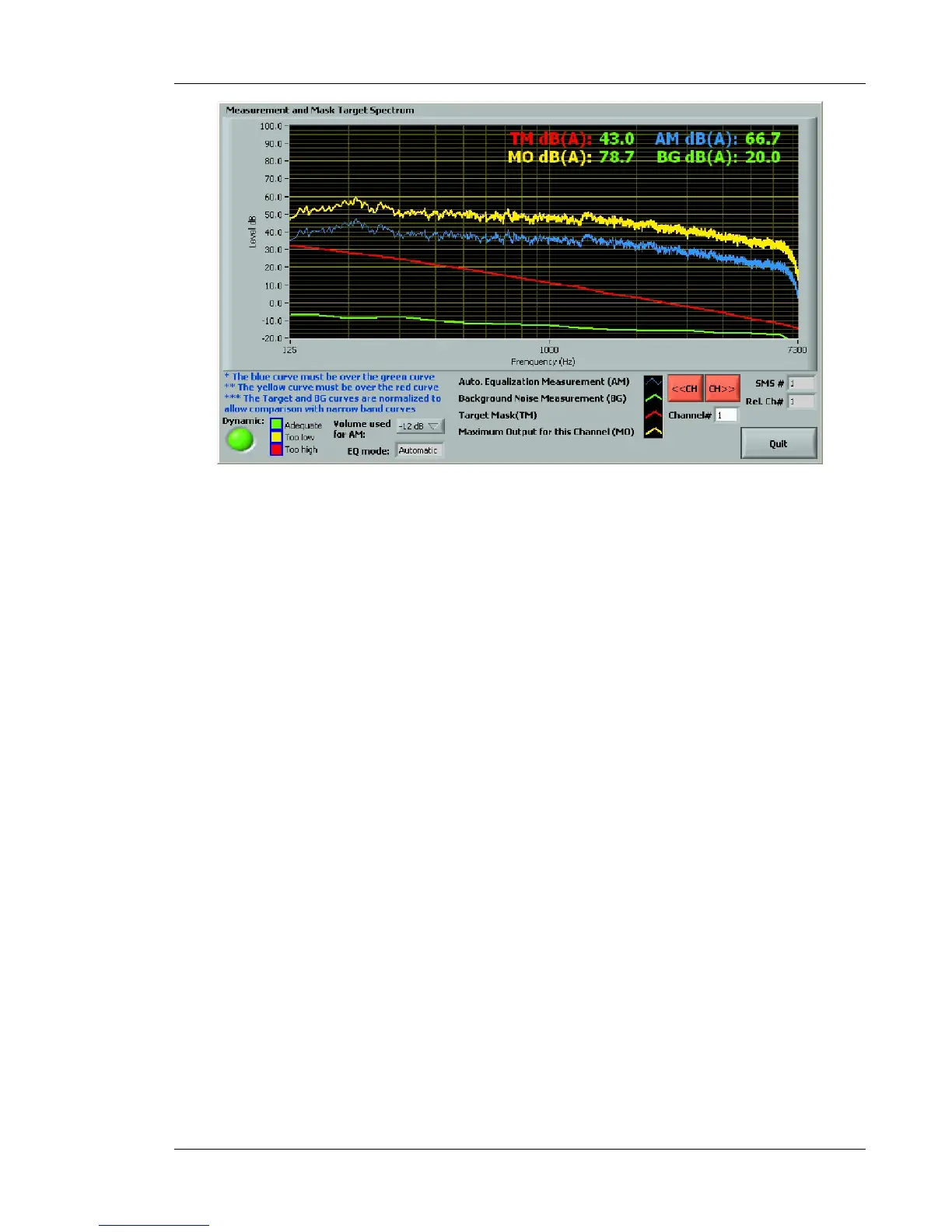
Figure 54: Set-up diagnosis dialog box
The Dynamics indicator in the lower left hand corner will display information about the sound
masking signal dynamic range.
If the display is red, it means that the channel is at the maximum power, and this can cause
distortion. If using an AMP version, try lowering the target masking spectrum, or connecting the
loudspeakers to a higher power tap (4W). If using a CTL version, try raising the external amplifier
gain.
If the display is yellow, it means that the channel signal is almost off. Try lowering the external
amplifier gain if using a Controller version.



 To Next Page