SmartSMS User Manual Soft dB inc.
User Manual p. 84
8.3 Setting the Priority Paging
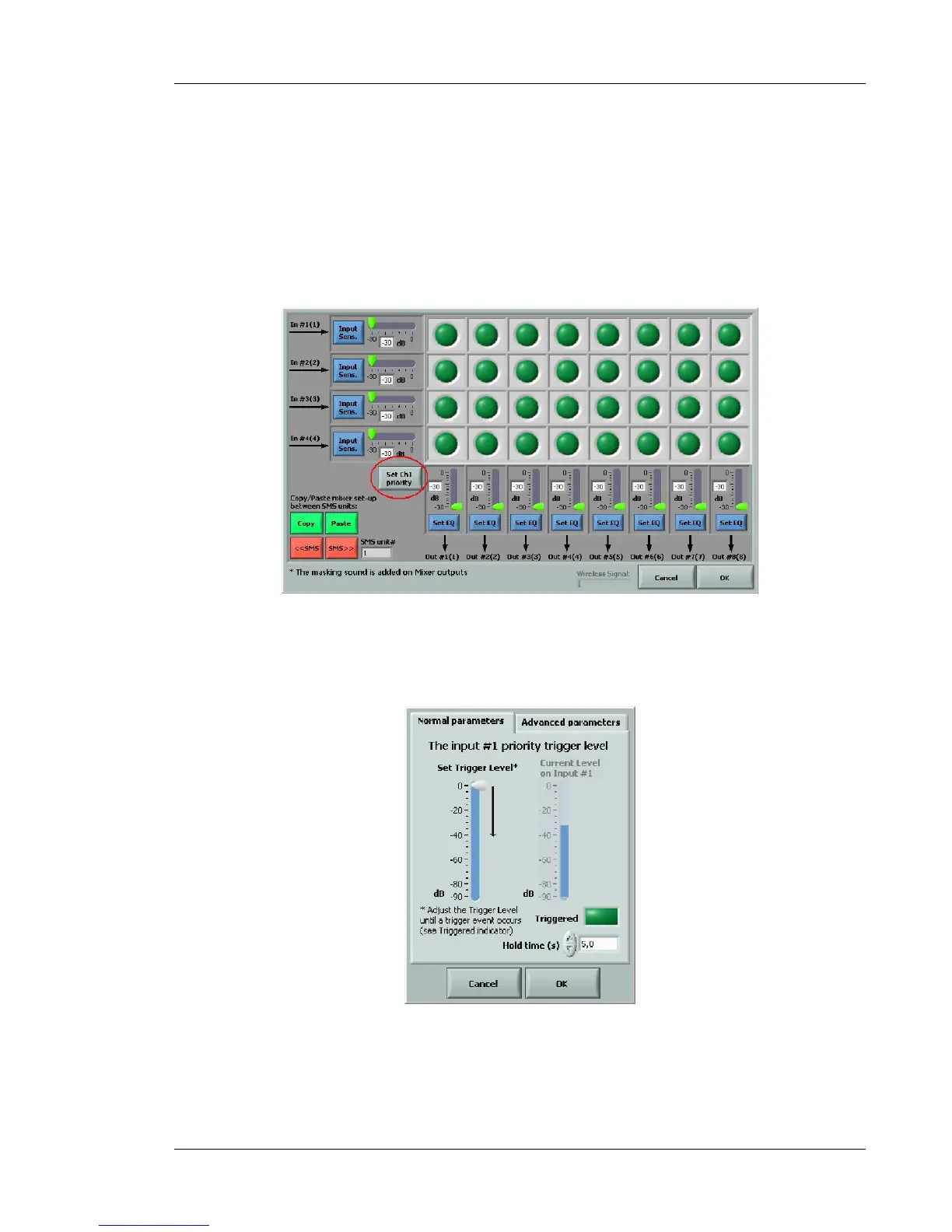
The auxiliary input #1 can be set as priority input for emergency signals. In this case, the other
auxiliary inputs #2, 3 and 4 are muted, and a global masking sound attenuation can be specified
when input #1 is activated.
Figure 78: Paging and music mixer window
Click on the Set Ch1 Priority button to access the priority set-up window. The following window will
be displayed:
Send the normal audio signal on input 1.



 To Next Page