SmartSMS User Manual Soft dB inc.
User Manual p. 86
9. Calendar Function
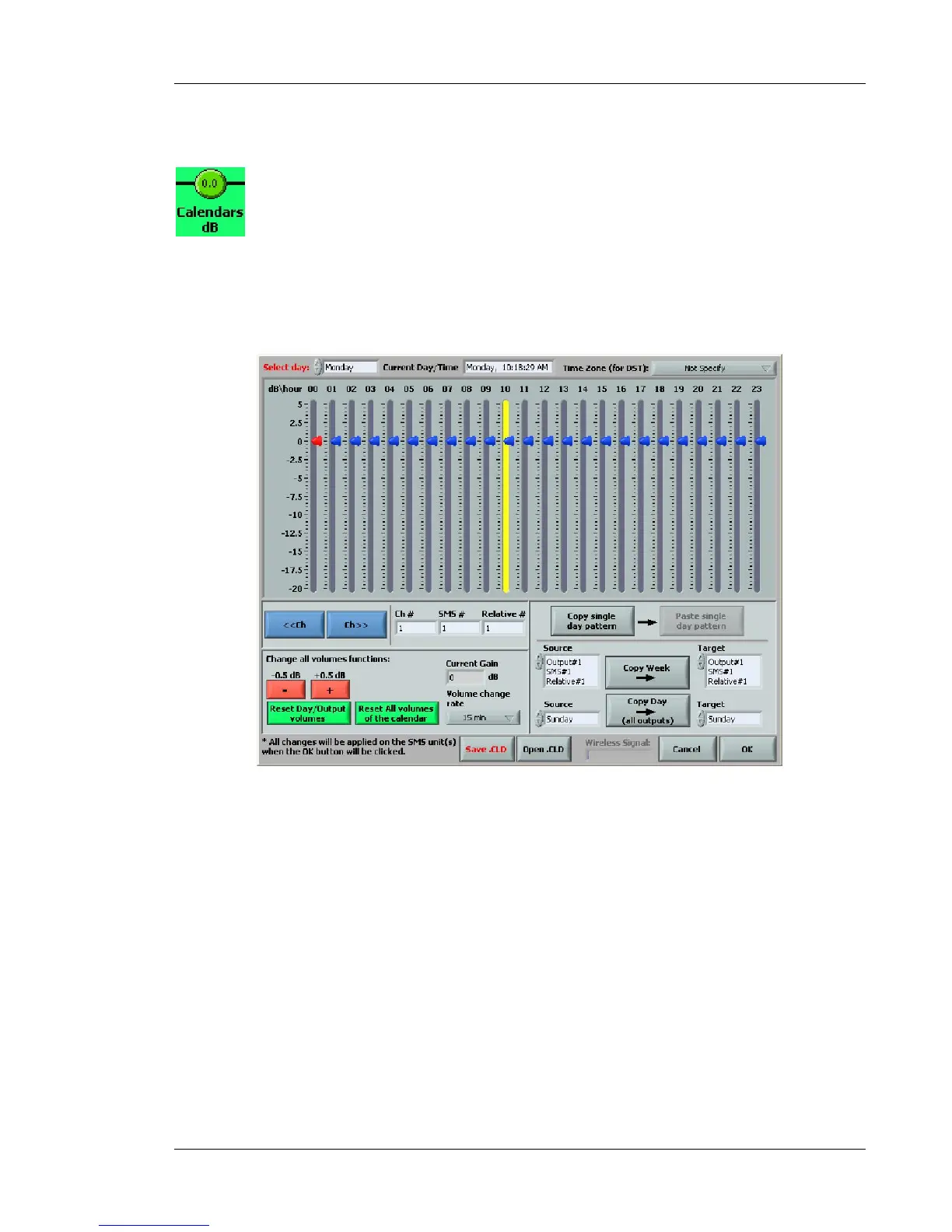
The SmartSMS system includes an optional calendar-based and volume adjustment function for
each output channel. The Calendar function allows adjusting the volume in the system zones
according to the time of the day and days of the week. Click on the Calendar button to access the
calendar menu.
Figure 80: Calendar Volumes function
NOTE: The Calendar function is activated if you have the Real Time Clock module installed in your
SmartSMS unit. The Real Time Clock module will keep track of time allowing the Calendar function
to run without any other equipment connected to the SmartSMS unit. If the Real Time Clock module
is not installed, you can still run the Calendar function but you will need a PC connected all the time
to the SmartSMS unit to keep track of time.



 To Next Page