SmartSMS User Manual Soft dB inc.
User Manual p. 25
5.2 Soft dB Precision Microphone and IMIC with Wireless System
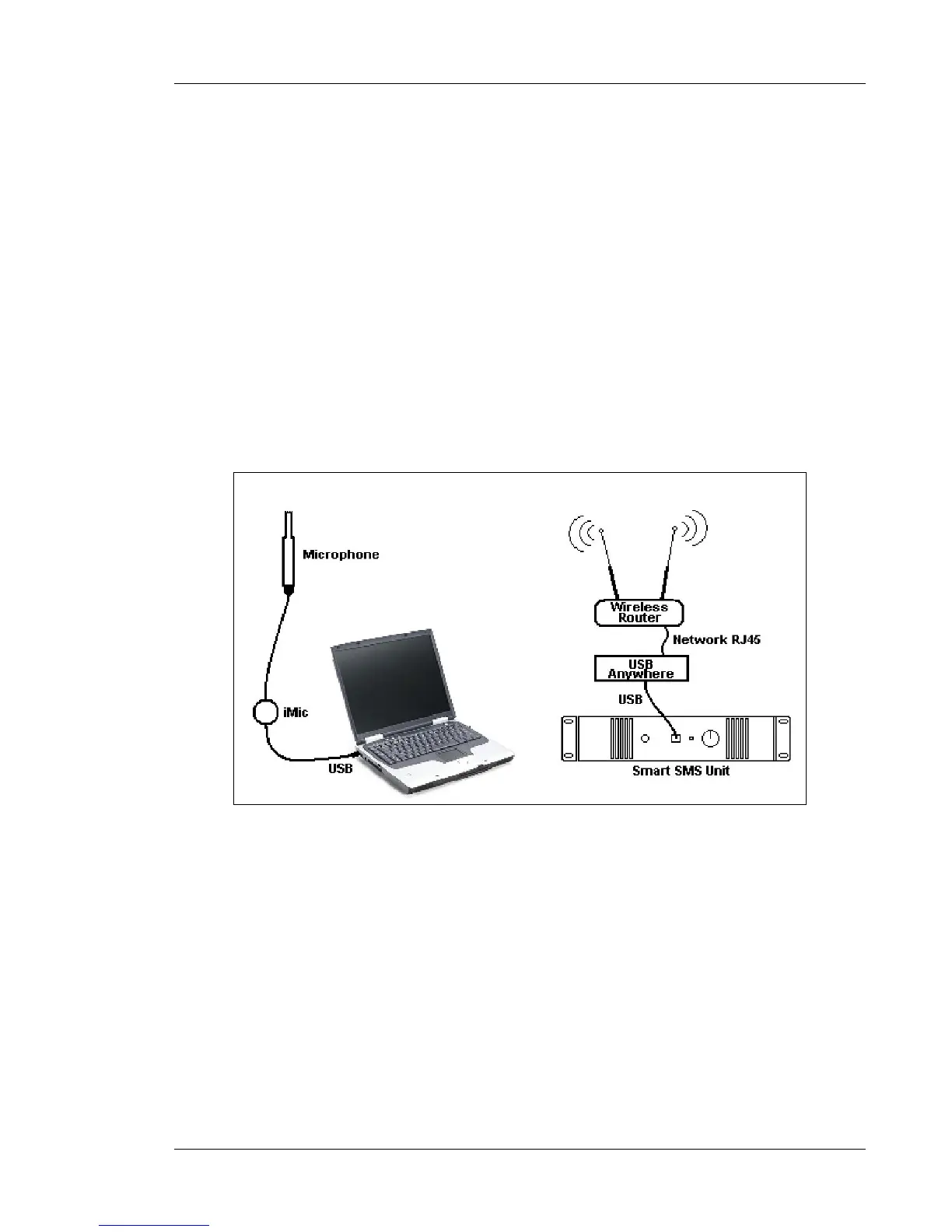
This set-up is similar to the previous one, except that the connection between the SmartSMS unit
and the PC is done using an Anywhere USB, a KeySpan or a Silex USB server device and a
wireless router. This set-up assumes that the PC has a wireless link capability. See Appendix C for
more information about the wireless system set-up.
With this set-up, a single person can perform the equalization of an installation. The operator can
operate the software on the PC and move the microphone in the room, (see Section 6.4.1 for more
details on the equalizer functions).
Note:
1. The noise generated by the PC fan should however be quite low to avoid disturbance at the
microphone during the automatic equalization process (mainly during the background noise
measurement).
2. This set-up requires a microphone, a cable and a portable PC to be carried at the same time.
This manipulation can become uncomfortable in large installations.
Figure 17 : Soft dB Precision microphone and Imic pre-amplifier device connected to the
PC, using an AnywhereUSB or a KeySpan device and a Wireless router



 To Next Page