SmartSMS User Manual Soft dB inc.
User Manual p. 29
5.6 Multi-Board Installation
In some cases, you may need more than 8 zones to adequately cover the building with sound
masking. In these cases, it is possible to use many SmartSMS units together as one system. Each
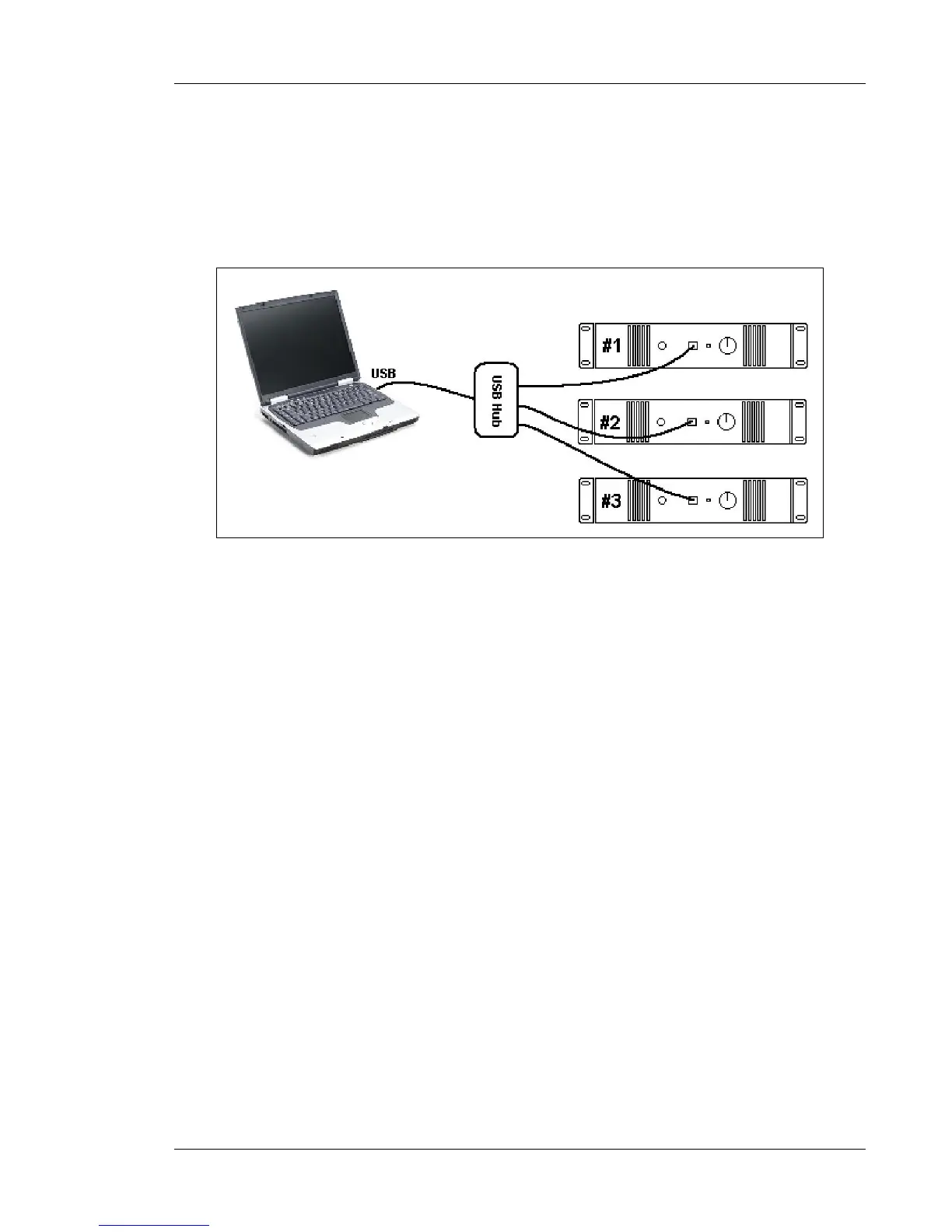
SMS unit must be connected to the PC using a USB cable, either directly to the PC if there are
enough available USB ports, or using a USB hub if there are not enough available USB ports.
Figure 21: Many SMS units connected to the computer using a USB hub
Before launching the calibration software, all the SMS units in a multi-board installation must be
numbered with the "ResetSMS" software. To do so, connect the first SmartSMS unit to the PC
using a USB cable and disconnect all other units. Launch the Reset software located in the default
directory C:\Program Files\ SMS_Software_VersionII.
Make sure number 1 is written in the SMS# numerical box. Click on the Reset button. Now, connect
only the second SMS unit to the PC, and restart the Reset software. Enter number 2 in the "SMS #"
numerical box. Click "Reset". Repeat this procedure until all the SMS units are numbered.
NOTE: The multi-board instalaltion is not possible if you use Vista 64-bits or Windows 7 64-
bits and the Silex SX-2000U2 USB server for the wireless calibration.



 To Next Page