SmartSMS User Manual Soft dB inc.
User Manual p. 32
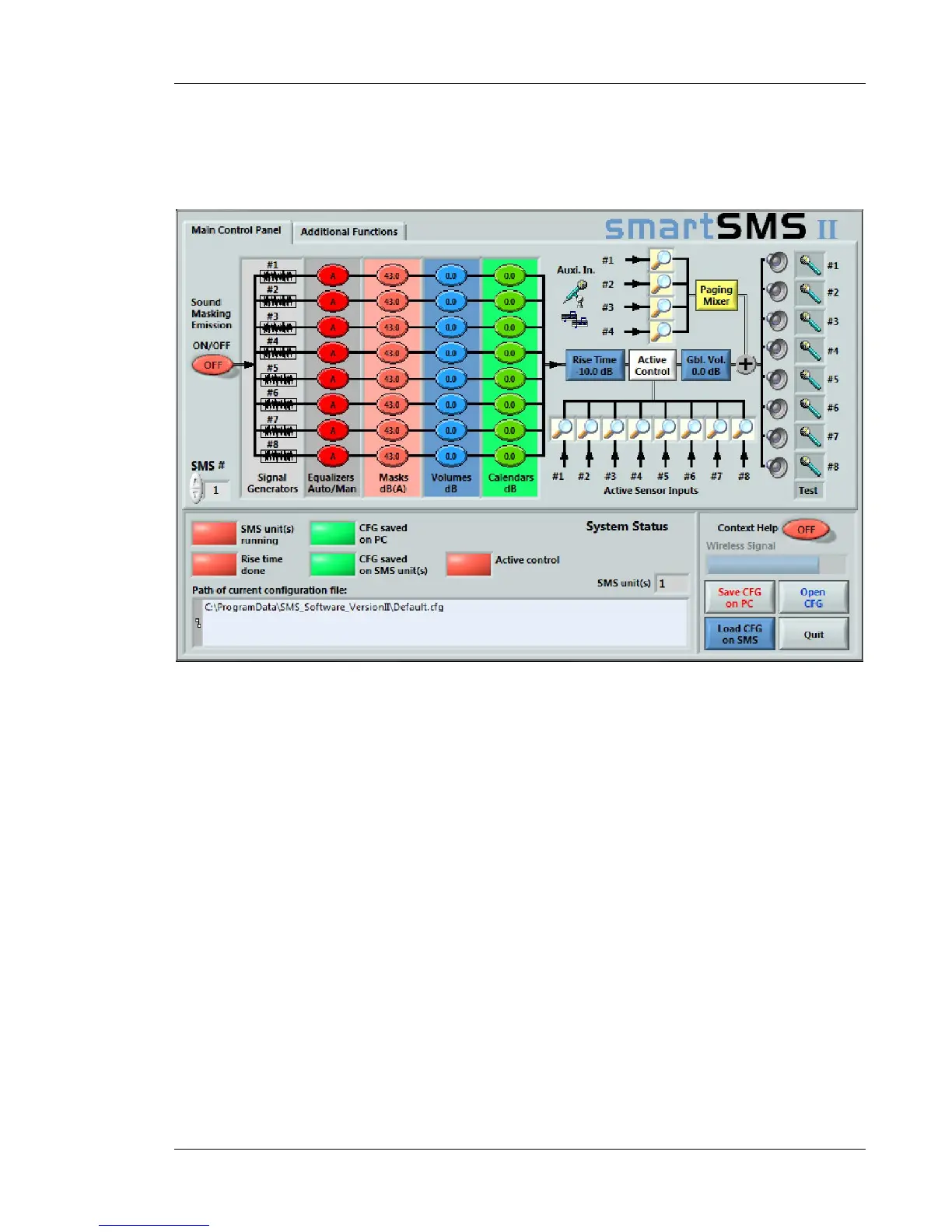
The Main interface presents the equalization functions for the system in a graphical style interface.
All the 8 channels are displayed on horizontal rows, and the various functions are presented in
columns. This section presents the operation of the SmartSMS software.
Figure 24: The main interface shows the functions and the System Status



 To Next Page