SmartSMS User Manual Soft dB inc.
User Manual p. 44
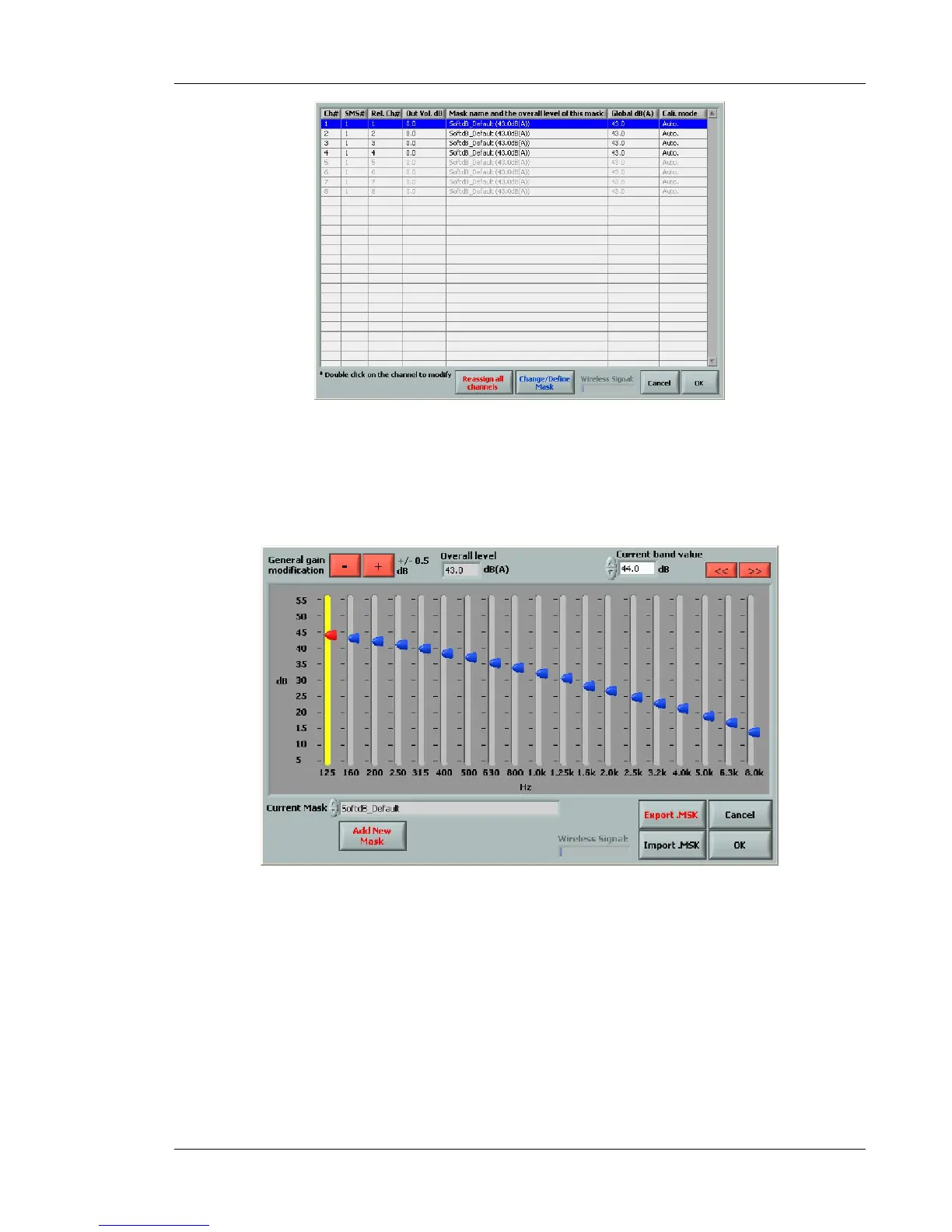
Figure 35 : Additional Function for the Target Mask selection
This window presents all the channels of the system, and the target masking spectrum for each of
them. Click on Reassign all channels to change the target mask for all channels.
Use the button Change/Define Mask to modify a specific mask or to add a new mask to the list.
Figure 36 : Dialog box for editing the target mask list
With this function, the user can raise or lower the level of each 1/3-octave band of the target
masking spectrum or change the overall level of the target spectrum. The keyboard arrows can also
be used to select and to modify the masking spectrum 1/3-octave band. The user can save and
import a specific target masking spectrum if he wants to.
Note: The default target masks provided with the software cannot be modified.
The user can also add a mask to the list with the Add New Mask button.



 To Next Page