SmartSMS User Manual Soft dB inc.
User Manual p. 57
3. Select the type of AC output for the SLM with the SLM output control: A or C weighting
or No Weighting Note that this selection is critical for the automatic equalization process.
The operation manual for your SLM should provide this information in the section
describing the AC Output characteristics.
4. Put the acoustical calibrator on the sound level meter. Verify that the level indicated on
the sound level meter corresponds to the calibrator level (94 dBA), more or less 0.2 dB.
If not, see the procedure for your sound level meter to carry out the proper adjustment.
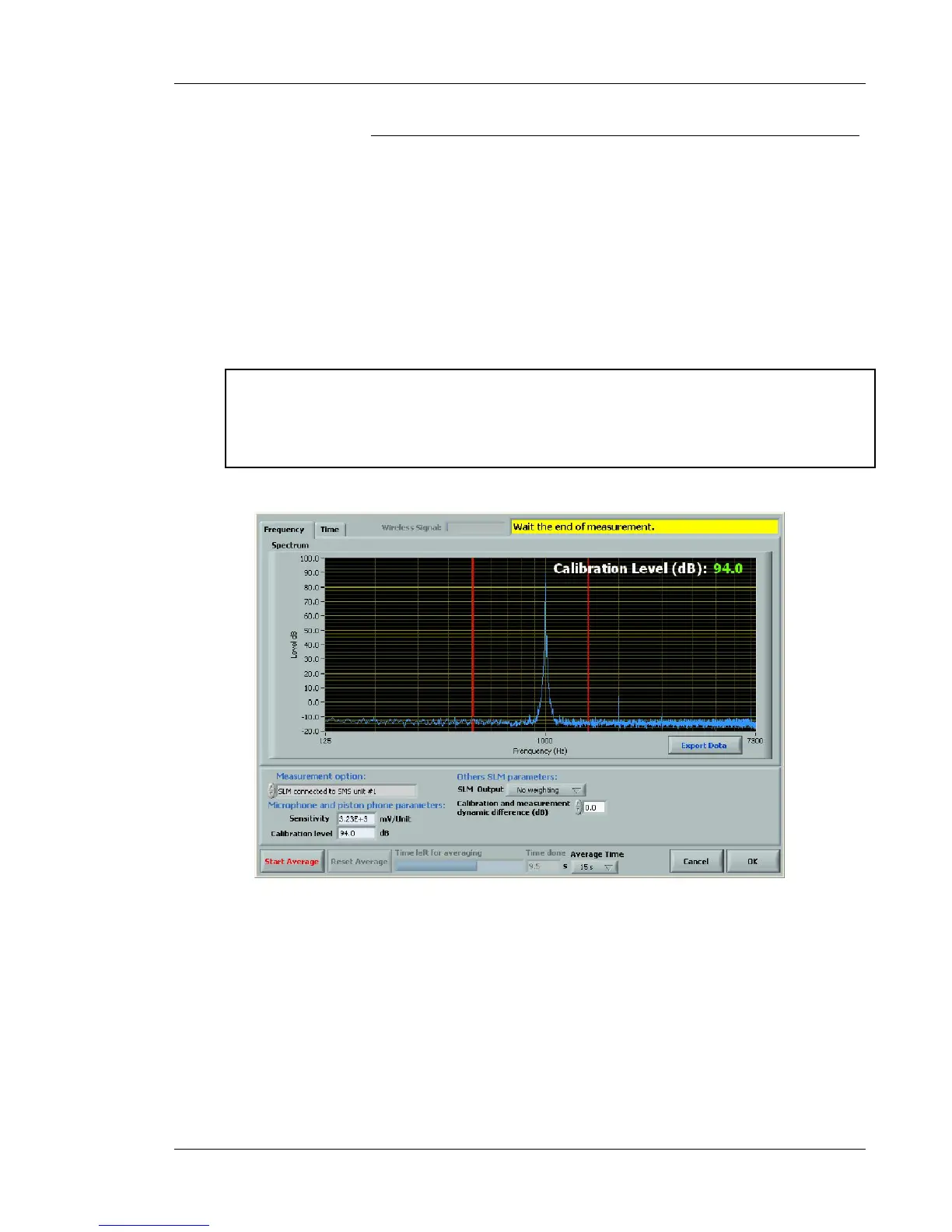
5. Press the Start Average push button to start the reference acoustical signal acquisition.
The graph should look like the results shown in Figure 49. At the end of the averaging
process (15 sec by default) or if the Stop Average button is pushed, the software
automatically computes the new sensitivity to reach the calibration level (generally 94
dBA). The sensitivity computed is shown in the Sensitivity control.
! Note that the sensitivity is computed automatically at the end of the averaging process
(Default value: 15 seconds) or when the Stop Average button is pushed. You should
write down the sensitivity value. You can enter this value manually if a non-desired
change arises after miscellaneous operations.
Figure 49 : Input sensitivity adjustment interface ( Frequency tab)
The microphone sensitivity value can also be entered manually in the sensitivity control box.
If the sensitivity of a given sound level meter varies by more than 10 % from a previous calibration,
there is probably an error in the connection or the microphone is broken.



 To Next Page