SmartSMS User Manual Soft dB inc.
User Manual p. 66
The PI is calculated for a selected background noise or masking sound. The user can study the PI
values for different background noises or mask sounds with the control Mask/Background Noise
Spectrum. The background noise for a specific installation can also be selected through this control.
The Transmission Loss Measurement function also measures the background noise for a specific
installation. The .pi file contains both the transmission loss data and background noise.
The function Transmission Loss Measurement starts by asking for the channel used for the source
signal through this dialog box:
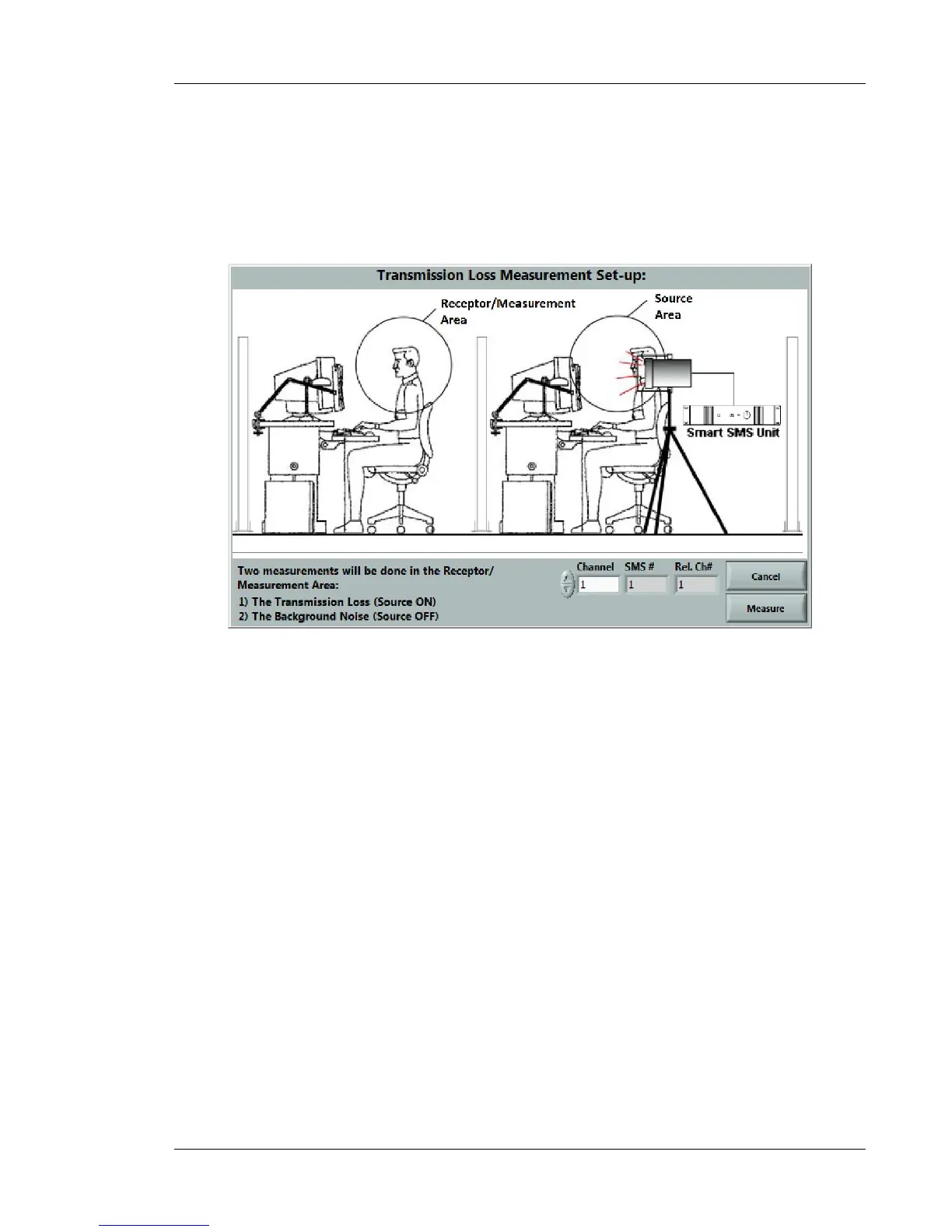
Figure 58: Transmission Loss measurement dialog box
The dialog box illustrates the required set-up. The SMS unit and the SMS loudspeaker must be
used to generate the reference noise at the source area. Then, the user can measure the
background noise and transmission loss at the receptor area. The standard measurement method
described at the section 6.4.1.1 is used to measure the transmission loss and background noise.
Note: The Transmission Loss Measurement function is available only if the SMS unit is connected
with the PC and when the sound masking is turned off.



 To Next Page