SmartSMS User Manual Soft dB inc.
User Manual p. 68
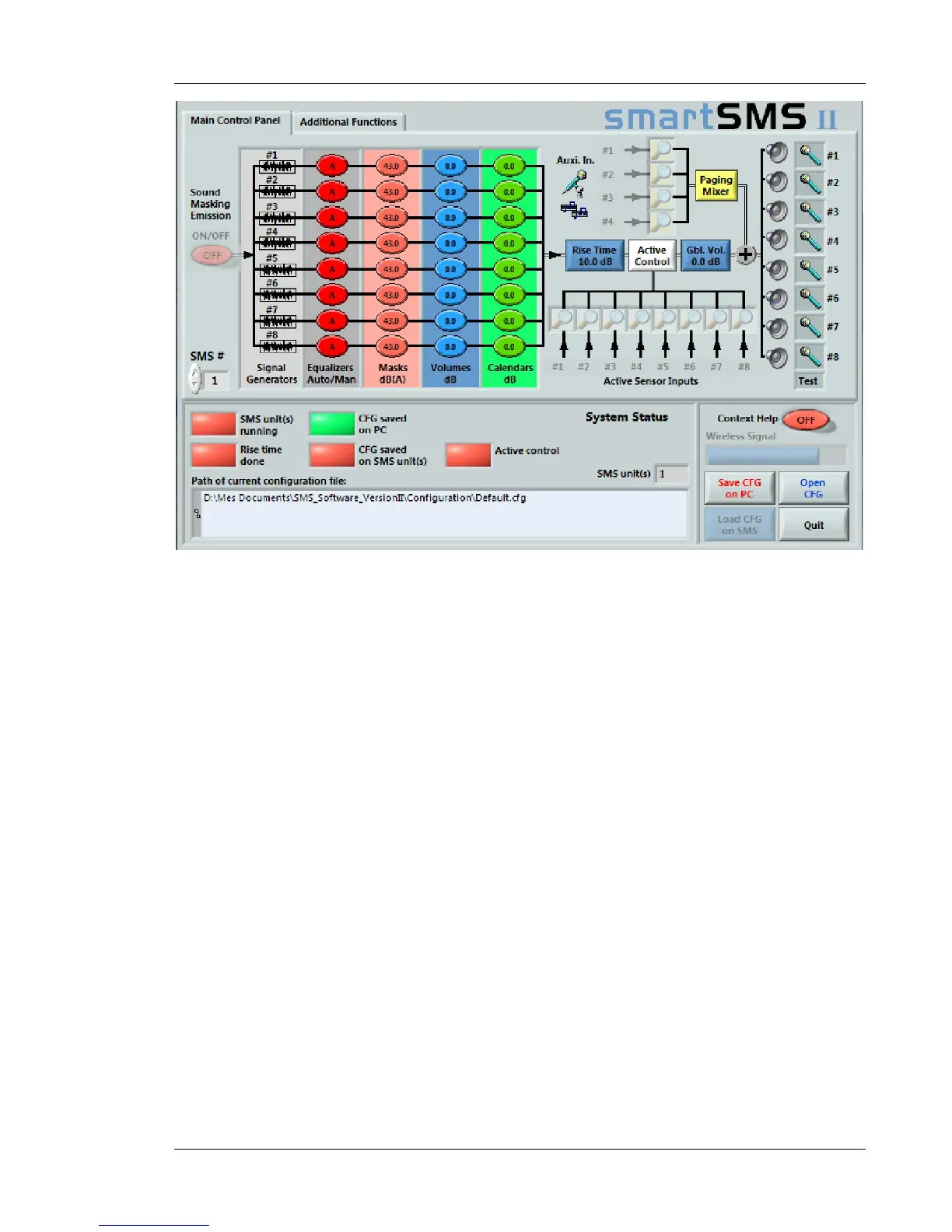
Figure 61: SmartSMS Main interface window in the Offline Mode
In the offline mode, the operation of the software is very similar except for the fact that no update of
the configuration is done on the SmartSMS unit(s). Actually, the update of the modifications carried
out during an offline mode work session will be done when the next connection with the SmartSMS
unit(s) takes place.
Adjustments to the masking sound can be made with the Test function. Click on the small
microphone icon to access the test window for a specific channel. Start a test measurement in the
appropriate zone.
When the measurement is done, click on "apply diff on EQ" to correct the response for this
channel. Click only once.



 To Next Page