SmartSMS User Manual Soft dB inc.
User Manual p. 80
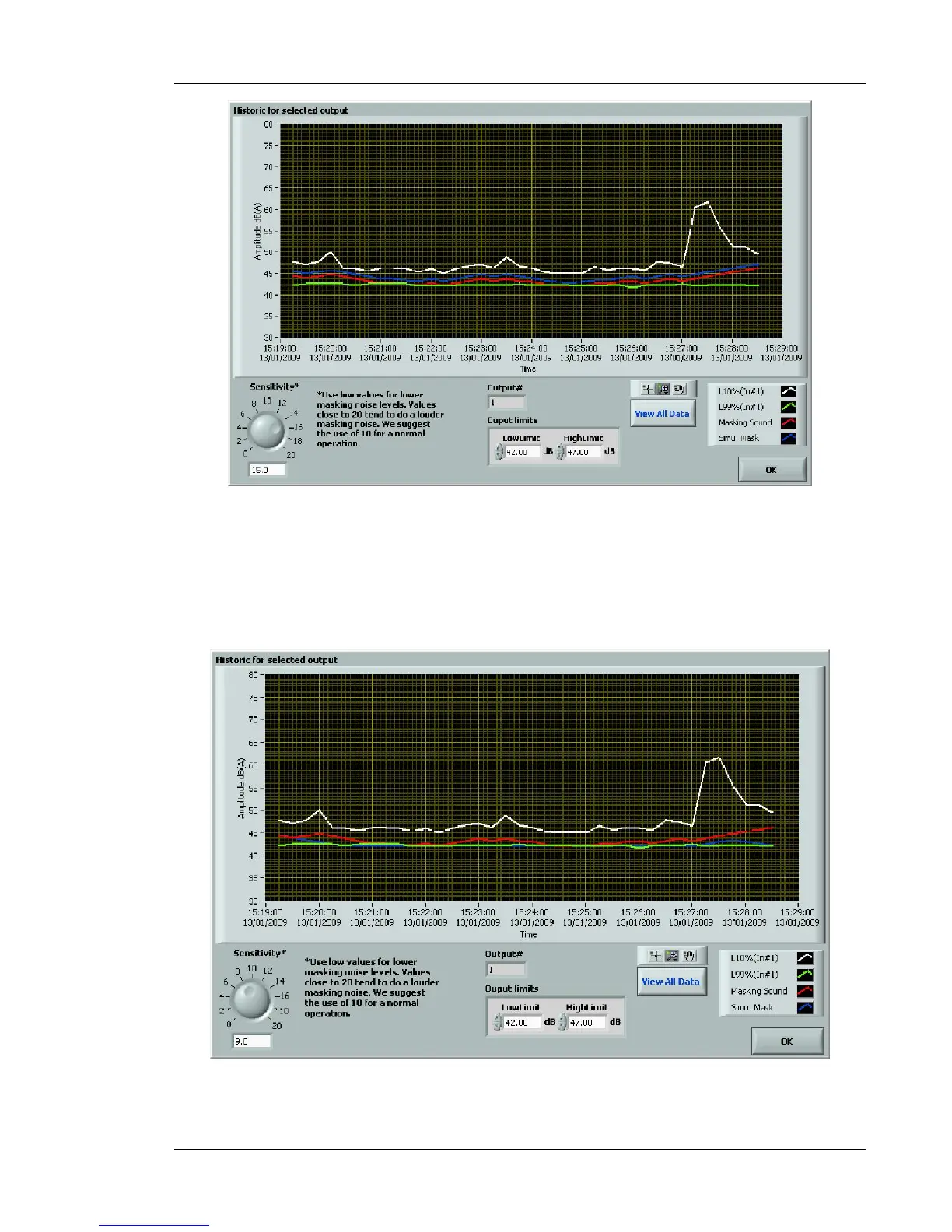
Figure 73: Simulation module of the active controller (sensitivity increased to 15)
The simulation module shows the historic for the selected output channel with the addition of a blue
curve (sensitivity 15), which is the masking level adjustment historic with a different sensitivity (use
the Sensitivity control in the lower left hand corner).
The following figure presents a simulation for a sensitivity of 9 instead of 13 (default value):
Figure 74: Simulation module for the active controller (sensitivity reduced to 9)



 To Next Page