MedDream VideoStation settings
MedDream VideoStation v4.00 User Manual 30
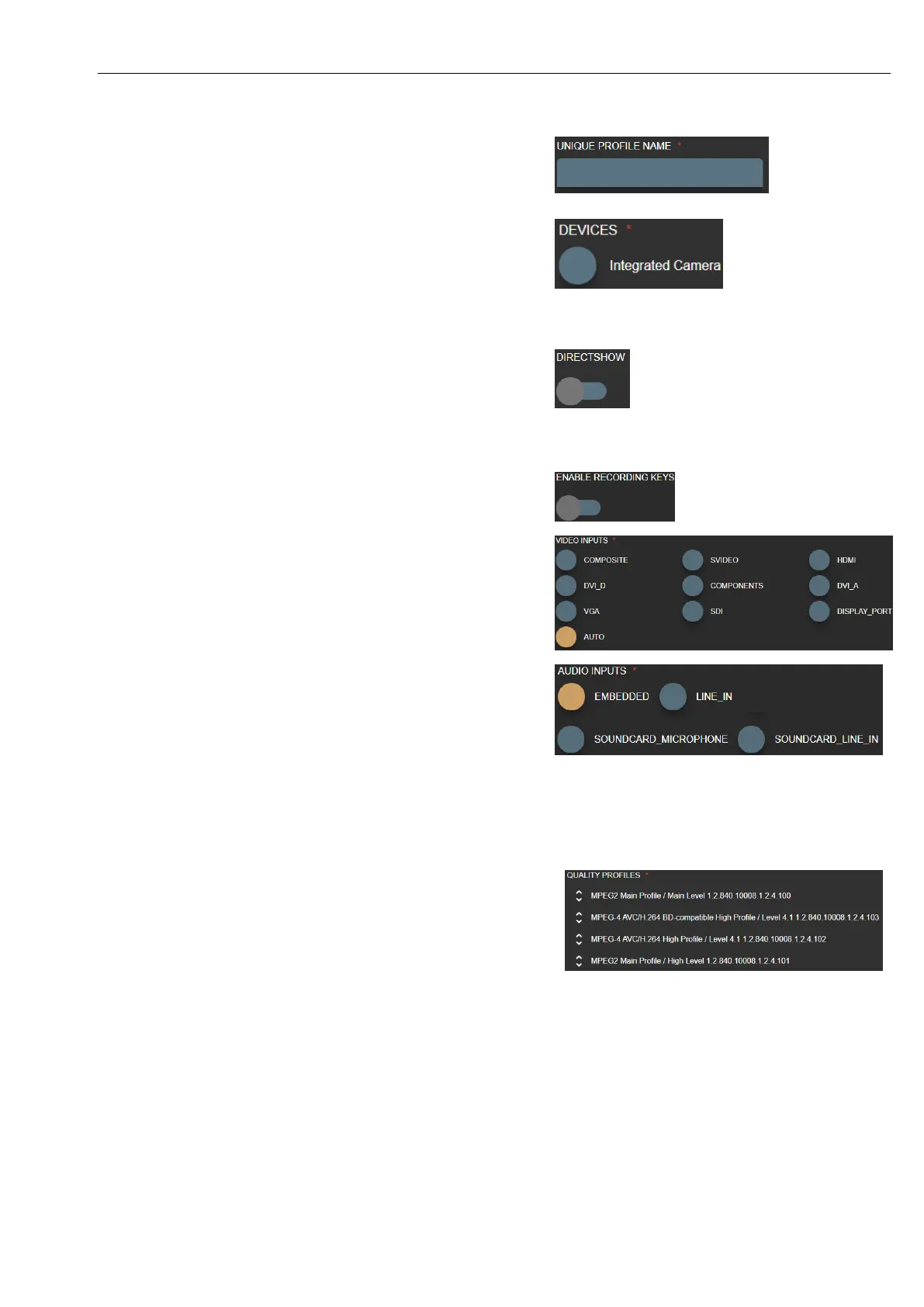
Input source profile is identified by UNIQUE PROFILE NAME input
text. If user enters the same profile name – will change existing input
source profile data. In order to create new profile – enter different
UNIQUE PROFILE NAME input text.
DEVICES – input source like camera or video capture board. Select
one of founded device.
If cannot see any devices or some is missing – please
check connection cables to the device. If problem
persist - check Windows OS device list, if all drivers
installed properly.
DIRECTSHOW - enables to get input device signal through Windows
OS DirectShow API.
VS application is using YUAN video capture board SDK API and can
access capture board signal with lowest latency compared to
DirectShow.
ENABLE RECORDING KEYS – enable to control profile source
recording with pedals (see 7.1.1. General settings).
VIDEO INPUTS – define what cable input type video signal.
AUTO – try find capture board signal, but recommended to consult
with VS PC administrator about capture board input type and select
correct one.
AUDIO INPUT – defines, how to get audio signal. This option
depends on device input or device itself. If using simple USB camera
with microphone array - should work with EMBEDED option. If
using video input HDMI (audio should come with the same cable) -
should work with EMBEDED option.
With other audio capture boards or other audio input device signals -
requires to see and setup WINDOWS OS audio devices or redirect
audio signal to capture board. This situation is a little bit tricky and
requires testing to configure input signal environment.
QUALITY PROFILES – defines video and image attributes: video
size, frame rate, audio channels, compression and others.
One of important attribute is DICOM transfer syntax:
1.2.840.10008.1.2.4.100 and 1.2.840.10008.1.2.4.101 - MPEG2
video for older medical devices.
1.2.840.10008.1.2.4.102 and 1.2.840.10008.1.2.4.103 – MPEG-4
video for most of devices.
It is important to select DICOM transfer syntax according hospital
DICOM archive (PACS). Some archives are very old and do not
support some of transfer syntax. Recommend to consult with DICOM
archive administrator (see DICOM archive conformance statement
document).
VS software will try to scale medical device output signal to match
settings. Recommended to select close enough or the same resolution
for medical device output signal to ensure best quality.



 To Next Page