10
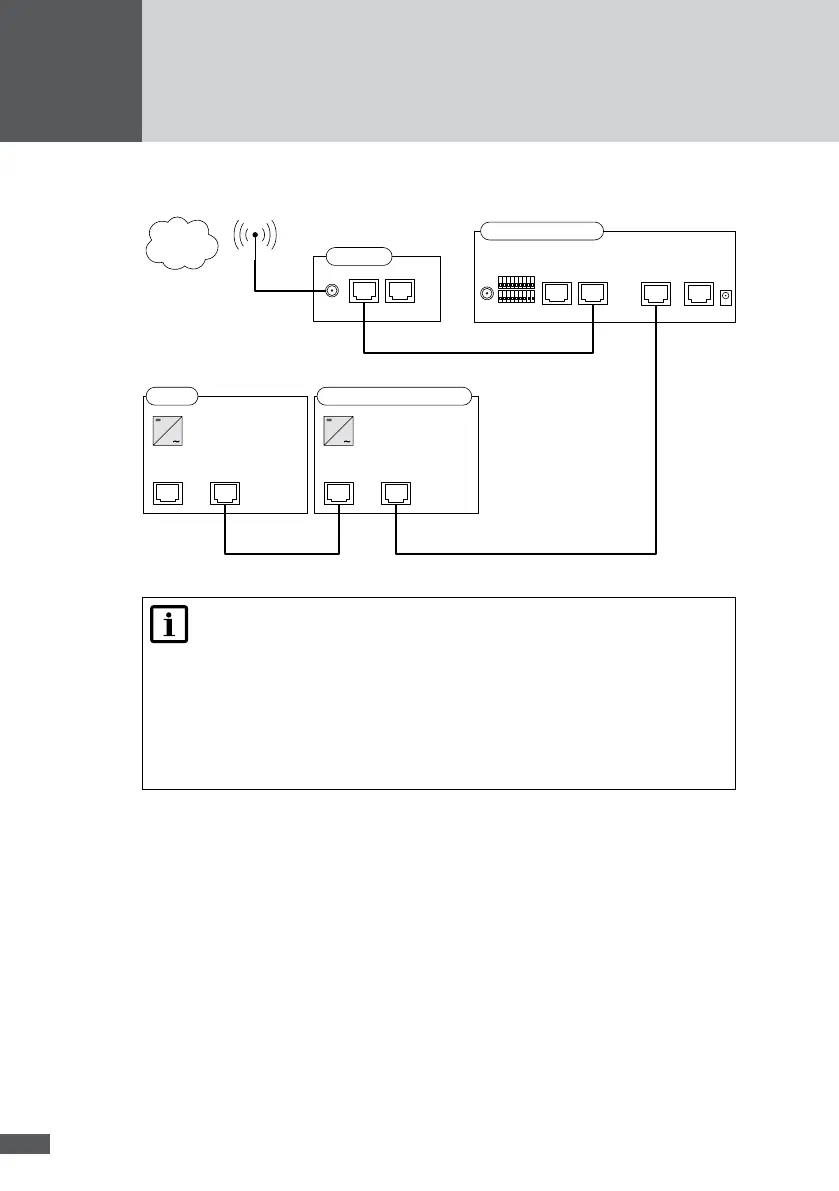
Connection option with external modem:
RS485RS485
SM C
RS485/LANRS485
SM S/MT/TS/TS-SV
RS485
RS485
Ethernet
Modem
ISDN
MaxWeb xp GPRS
RS485 RS485
Modem
WWW
GPRS
Note
Special RJ45 connector kits with IP54 protection for C and S series string
inverters are available from your SolarMax distributor. These connectors
must be used unless the inverters are installed in a dry, clean
environment.
The maximum cable length for MaxComm networks is 300 metres.
Should you wish to install a larger network, please contact the SolarMax
service centre.
5�3 Addressing
For MaxWeb xp to be able to detect connected devices, you must assign an unambiguous
device address to every device. Please note that each device address must be used once
only. You will nd instructions for setting the address in the product description of the
corresponding device.



 To Next Page