6
3 Description
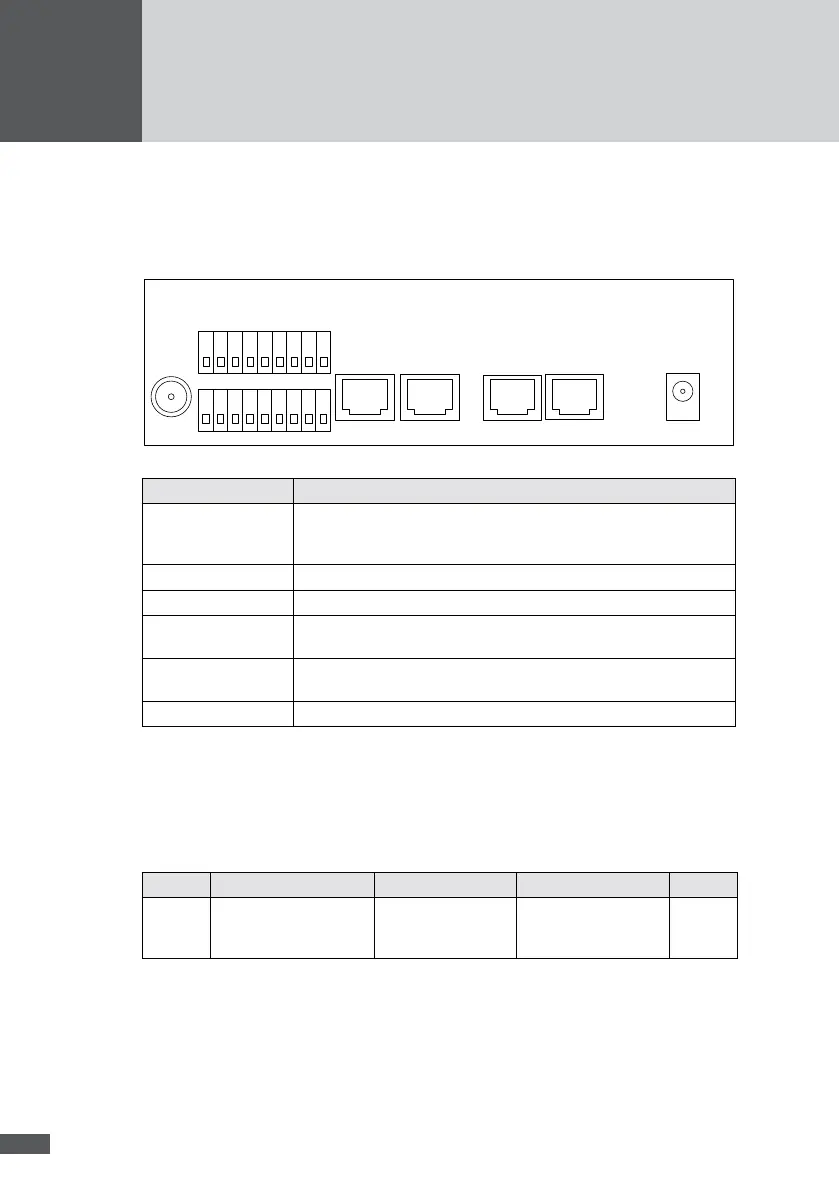
3�1 Connections
RS485
RS485
Modem
ISDN
Ethernet +15VDC
Expansion Port
GSM
Port Purpose
Expansion Port Connection for irradiation and temperature sensors, for external alarm
systems and a wireless reciever for the optional MaxRemote. Active
signals! (see Section 8).
GSM Screw terminal for connecting the GSM aerial (GPRS version only).
Ethernet RJ45 socket for Ethernet connection cable.
Modem / ISDN RJ45 socket for modem connection cable and for the conguration of
the GPRS modem.
RS485 RJ45 sockets for connecting the MaxComm network cable. Active
signals!
+15 VDC Jack socket for connecting the 15 VDC plug-in power supply unit.
3�2 Displays
The ve LEDs at the top of the casing indicate the operational status.
MaxWeb xp Ethernet
RI CD DATA STATUS OH
no
function
On: electrical connection
to the network is active.
Off: no connection.
Flashes during data
reception from the
devices.
Lights up when
MaxWeb xp is running.
no
function



 To Next Page