en
15
6�3 MaxWeb xp Ethernet
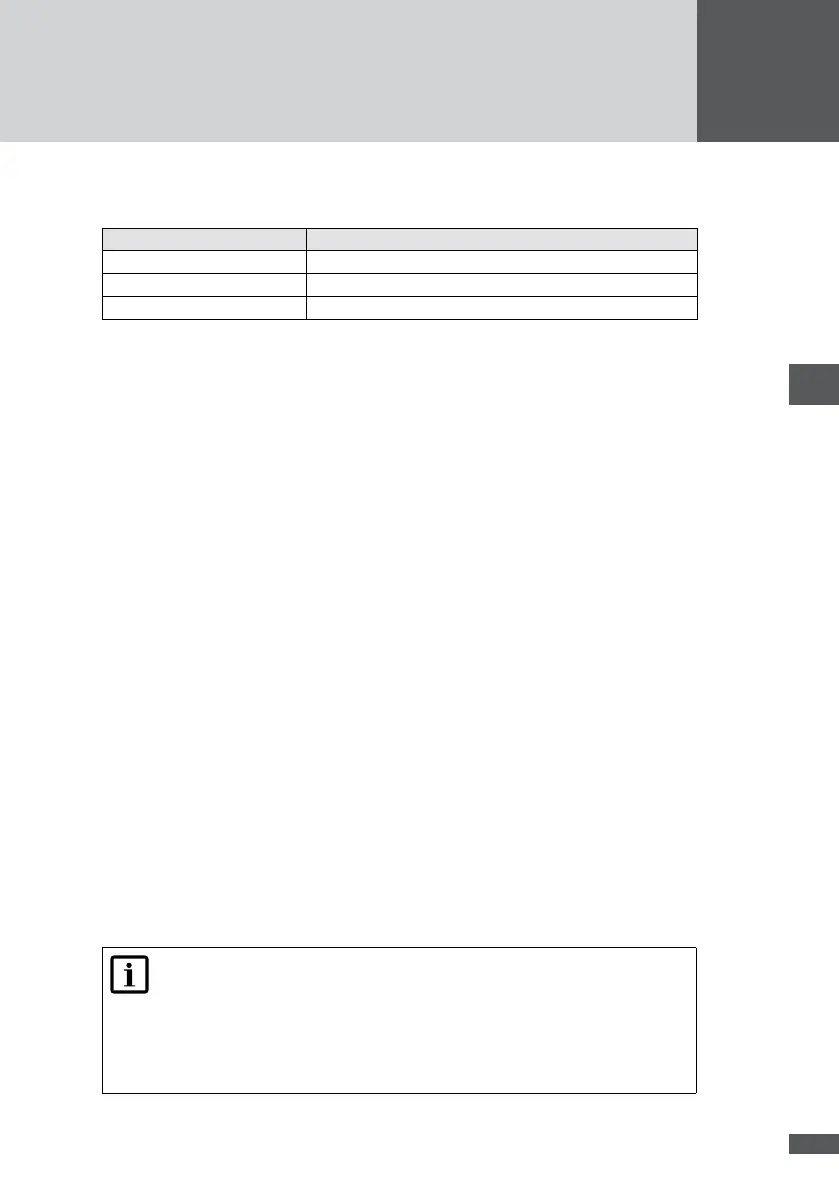
For MaxWeb xp Ethernet ensure that the following router ports are open to the outside:
Port Protocol
25 (SMTP E-Mail trafc) TCP/UDP
53 (DNS) TCP/UDP
9300 (VPN) TCP/UDP
1. Switch MaxWeb xp on (see Section 6.1).
2. Open your web browser and enter the address “http://192.168.1.234”. The Login
screen of MaxWeb xp appears.
3. Log in using the user name “admin” and the password “solarmax.com”.
4. You can now continue directly with the installation Wizard (see Section 6.5).
6�4 MaxWeb xp GPRS
6�4�1 Recommendations for the SIM card
To use MaxWeb xp via GPRS you need a SIM card with GPRS data service. The services
and tariffs offered by different providers vary widely. For this reason only general instruc-
tions can be given at this point.
Required services: E-Mail, VPN, and DNS
The following ports must be activated: 25, 53, and 9300
Required protocol: TCP/UDP
Do not use pre-paid cards.
Select a provider offering good network quality at the selected location so that expen-
sive roaming fees can be avoided.
MaxWeb xp GPRS is continuously connected to the Internet. Therefore please make
sure you select a card contract that is based on data volume rather than time. Other-
wise you may incur high charges.
For smaller PV systems and daily data transfer the contract should allow for a min-
imum data volume of 300 MB per month. Select a larger data volume if you wish to
record a large quantity of data, access the installation regularly online, or transfer
data at short intervals.
Note
Data volumes quickly exceed 300 MB if MaxWeb xp must interrupt and re-
establish the VPN connection several times a day. This can happen if the
signal is too weak (see Section 6.4.2) or if other nearby GPRS devices compro-
mise the bandwidth. In situations like these you should conclude a payment
card agreement with a larger data volume.



 To Next Page