en
7
MaxWeb xp GPRS
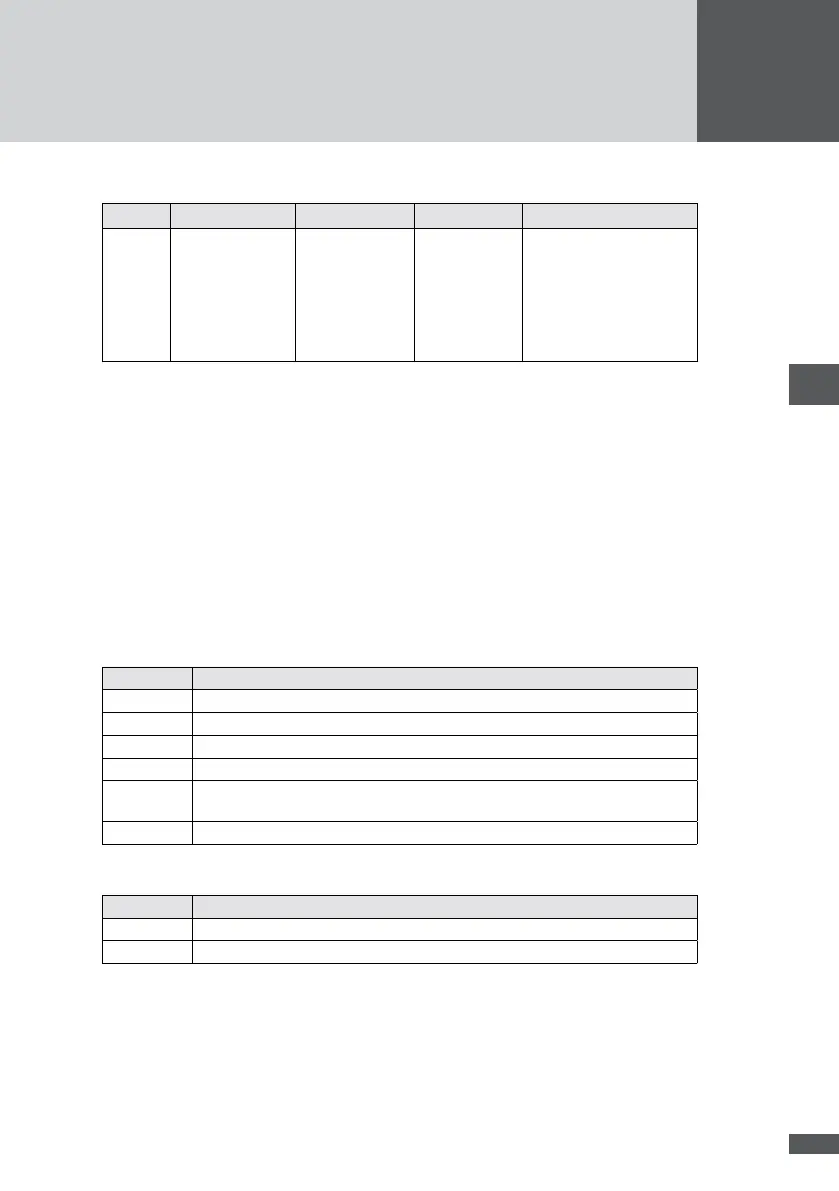
RI CD DATA STATUS OH
no
function
On: Lights up if
the Ethernet/GPRS
bridge is inserted.
Flashes during
data reception
from the devices.
Lights up when
MaxWeb xp is
running.
On: the device is registered
in the GSM network and
connected to the Internet.
Off: the device is not regis-
tered in the GSM network.
Flashing: initialisation
phase.
4 Installation
4�1 Transporting and storing data logger
Ensure that the ambient conditions during transportation and storage are within the spec-
ied limits (see Section 10).
4�2 Scope of delivery
Please check that the following parts are included:
Quantity Description
1 MaxWeb xp
1 Installation manual
1 Plug-in power supply unit 230 VAC / 15 VDC
1 Assembly components for wall and top hat rail mounting
1 Ethernet connection cable (patch cable) for connection to a LAN network, DSL
router or switch/hub (grey)
1 Crossover Ethernet connection cable for connection to a PC (red)
For the MaxWeb xp GPRS version additionally:
Quantity Description
1 GSM aerial with connection cable
1 Crossover Ethernet connection cable (short, red)
4�3 Siting
Please note the following when siting your MaxWeb xp:
MaxWeb xp meets the requirements of protection class IP20 and is therefore only
suitable for installation in dry, clean spaces. For outdoor installation or operation



 To Next Page