14
6�2�3 Modifying your network settings
Note
Check the correctness of your entries. If the entries are faulty, there is a likeli-
hood that MaxWeb xp will no longer be accessible via the Ethernet interface
after a reboot. Just in case, write down the values you have set before you
reboot MaxWeb xp.
1. Connect MaxWeb xp directly to the Ethernet interface of your PC using the red cross-
over cable.
2. From Windows XP open the menu Control panel > Settings > Network Connections
> LAN connection.
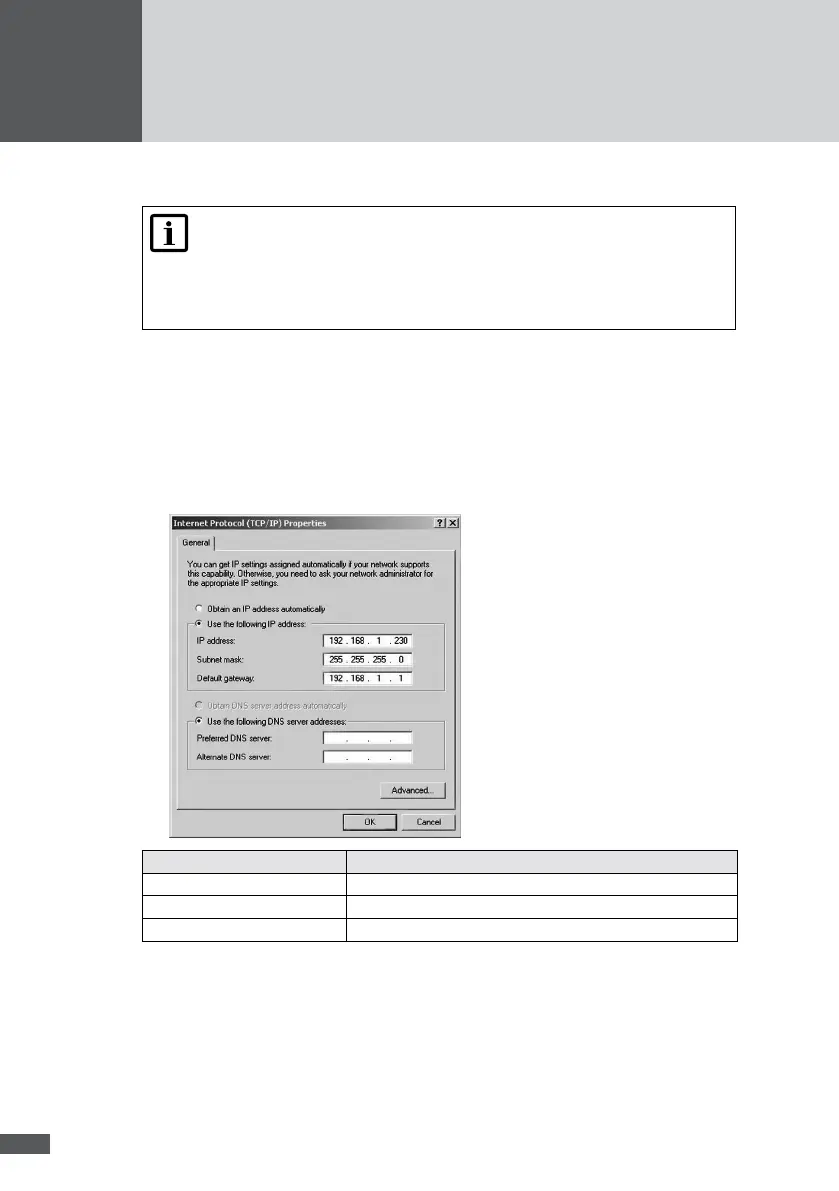
3. Select “Internet protocol TCP/IP” and click on “Properties”.
4. Write down the existing settings.
5. Change the settings as shown in the screenshot:
Parameter Value
IP adresse 192.168.1.230
Subnetz mask 255.255.255.0
Default gateway 192.168.1.1
6. Click on “OK”.



 To Next Page