69
9 Troubleshooting and Maintenance
9.1 Troubleshooting
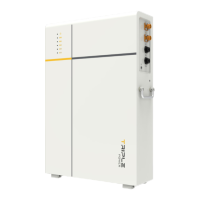
This section contains information and procedures for resolving possible problems with
the rechargeable battery and provides the troubleshooting tips to identify and solve most
problems that may occur. Please conform the state of the indicators to check the status of
the T-BAT system, check the warning or fault information via the monitoring software on
the inverter, and read the suggested solutions below when error occurs.
In case of the following circumstances, e.g. voltage or temperature exceeds the limit
specified, a warning state will be triggered.
The battery management system (BMS) of the T-BAT system will periodically report its
operating state to the inverter. Therefore, when a warning is reported, the inverter will stop
working immediately.
Contact SolaX Customer Service for further assistance. Please be prepared to describe
the details of your system installation and provide the model and serial number of the
rechargeable battery.
Error Code Fault Diagnosis and Solution
BMS_CELL_OVER_FAULT
Battery cell
overvoltage fault
Battery (cell) overvoltage:
• Tap "Power Off" on the inverter
screen until the fault is rectified.
• Contact the after-sales personnel of
our company.
BMS_CELL_LOW_FAULT
Battery cell
undervoltage fault
Battery (cell) undervoltage:
• Make sure that the inverter is
connected to the grid and that
there is successful communication
between the battery and inverter to
ensure that the battery is charged.
• Contact the after-sales personnel of
our company.
BMS_CELL_DIFF_FAULT
The pressure
difference
between cells in
the battery is too
large
The pressure difference between cells
in the battery is too large:
• Restart the BMS.
• Contact the after-sales personnel of
our company.


 To Next Page
 Loading...