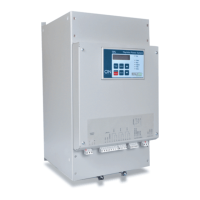
FRONT PANEL OVERVIEW
Page 18 of 67
Keys Overview
Set Page
Press to change set parameter pages in positive cyclical order.
Data Page
Press to change the data page in positive cyclic order.
Select FWD
Press to forward parameters listed in this page. If key is pressed for more than 0.5
sec, parameters will be displayed at a fast rate.
Select REV
Press to reverse parameters listed in this page. If key is pressed for more than 0.5
sec, previous parameters will be displayed at a fast rate.
▲
Press once to increase parameter value. Press and hold to increase parameter
value at a fast rate.
▼
Press once to decrease parameter value. Press and hold to decrease parameter
value at a fast rate.
Reset
Press to Reset displayed Alarm or Trip
Store
Press to store displayed parameter value in the non-volatile memory.
Note: If “Authorized Key” is locked out (open), only parameters viewing is possible.
When the Key is closed, it is possible to view, change and store any set parameter.



 To Next Page