
EasyManua.ls Logo

Solcon TPS - User Manual

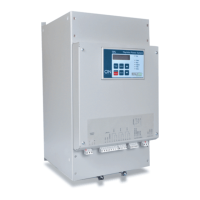
Solcon TPS
42 pages
Print Icon
To Next Page IconTo Next Page
Loading...
Solcon Industries Ltd.
T
T
P
P
S
S
T
T
h
h
y
y
r
r
i
i
s
s
t
t
o
o
r
r
P
P
o
o
w
w
e
e
r
r
S
S
y
y
s
s
t
t
e
e
m
m
8
8
-
-
1
1
5
5
0
0
0
0
A
A
,
,
2
2
3
3
0
0
-
-
1
1
0
0
0
0
0
0
V
V
I
I
n
n
s
s
t
t
r
r
u
u
c
c
t
t
i
i
o
o
n
n
M
M
a
a
n
n
u
u
a
a
l
l
Ver. 22042019
www.solcon.com

Table of Contents

Questions and Answers

Solcon TPS Specifications

General Specifications IconGeneral Specifications
rated current8-1500A
rated voltage120 - 1000VAC +10% -15%
control voltage120 or 230VAC, 110VDC+10% -15%
frequency50 / 60 Hz
controlled phasesThree
short-circuit current25kA
rated insulation voltage690V (120-690V mains models), 1000V (1000V mains models), 250V (control circuits)
rated impulse withstand6kV (Mains), 2.5kV (control)
degree of protectionIP00
pollution degree3
ambient temperature operating-10 – + 50°C
ambient temperature storage-20 – + 70°C
altitudeTo 1000 m ASL W/O de-rating
coolingForced air (fans)
number of CTsThree
connection modesWye - Neutral connected / not connected
Control Specifications IconControl Specifications
control methodDigital
firing methodZero crossing, Phase control, Phase control-power
on-off time cycle1000 – 10000 mSec.
analog input0-10V >100KΩ / 4-20 mA, 0-20mA <100Ω
control inputsStart/Stop (with internal 0-60 sec time delays), Aux. contact
output relays3 programmable (1-C/O) (8A/250VAC)
maximum breaking capacity AC2000 VA
max. DC load breaking capacity8A at 30VDC.
synchronizationOne master and 2-9 connected slaves
Fan and TPS Consumption Ratings IconFan and TPS Consumption Ratings
TPS 8-31A consumption21W
TPS 44-72A consumption36W
TPS 85-105A consumption26W
TPS 145-170A consumption35W
TPS 210-460A consumption64W
TPS 580-820A consumption100W
TPS 55-200A 1000V consumption40W

Summary

2. SAFETY & WARNINGS

2.1 Safety

Guidelines for safe operation, installation, and maintenance of the TPS.

2.2 Attention

Notes on compliance, radio interference, and utilization category.

2.3 Warnings

Critical safety warnings regarding internal components, voltage, grounding, and connections.

3. TECHNICAL DATA

3.1 Introduction

Overview of the Thyristor Power System (TPS) capabilities and features.

3.2 Rating, Frames sizes and Weights

Table detailing TPS models, current ratings, dimensions, and weights.

3.3 TPS Selection

Guidance on selecting the appropriate TPS model based on load current.

3.4 Ordering Information

Details on specifying TPS models, mains voltage, control voltage, options, and front panel.

3.5 Mains and control description

Explanation of terminal connections for mains, load, ground, control signals, and relays.

3.6 Input;Output indication

Diagrams and descriptions of terminal functions for communication, sync, analog I/O, and control.

3.7 Load Connections

Description of available load connection configurations (Wye, Delta).

3.8 Modes of operation

Overview of TPS operational modes including Zero Crossing and Phase Control.

3.9 Synchronized mode

Enables load sharing and prevents excessive loading in multi-controller applications.

4. RECOMMENDED WIRING SCHEME

4.1 Load connection schemes

Illustrates different load connection types like Wye and Delta.

4.2 INSIDE DELTA Wiring

Specific wiring instructions for the INSIDE DELTA connection.

4.3 Typical control scheme

Diagram of a standard control wiring setup for the TPS.

4.4 Communication and Synchronization wiring

Wiring diagrams for serial communication and synchronized mode setup.

4.5 Wiring Notes

Important notes and warnings related to wiring practices.

5. DIMENSIONS

5.1 400-690 VAC Models

Physical dimensions for TPS models rated 400-690VAC.

5.2 1000 VAC Models

Physical dimensions for TPS models rated 1000VAC.

6. INSTALLATION

6.1 Prior to Installation

Checks and considerations before installing the TPS unit.

6.2 Mounting

Guidelines for vertically mounting the TPS for proper airflow and heat dissipation.

6.3 Temperature range & heat dissipation

Specifies operating temperature limits and heat dissipation factors.

6.4 Protection bus-bars covers for power terminals

Information on optional protection covers for power terminals.

6.5 Jumpers settings for analogue input configuration

How to configure jumpers for analog input signal types.

6.6 Dip switches settings for analogue output optional PCB

How to set dip switches for selecting analog output signal types.

7. CONTROL KEYPAD

7.1 LCD Arrangement

Description of the two-line LCD display layout and its functions.

7.2 Push-buttons

Explains the function of each push-button on the control keypad.

7.3 Status LEDs

Explains the meaning of each status LED indicator on the keypad.

7.4 Reviewing and Modifying Parameters

Steps for navigating and changing TPS parameters via the keypad.

7.5 Special Actions Performed by Keypad

Procedures for running self-tests, checking software versions, and managing data.

7.6 Mode Pages

Lists the available mode pages for parameter review on the TPS.

7.7 Parameter Settings Overview

Overview of parameter settings across different operational modes.

7.7.1 Main Parameters Settings - Page 1

Configuration of primary TPS settings like voltage, current, and connection type.

7.7.2 I;O Parameters - Page 2

Settings for analog input/output, auxiliary inputs, and output relays configuration.

7.7.3 Protection Parameters - Page 3

Configuration of various protection functions like over/under current and voltage.

7.7.4 Load Shedding Parameters - Page 4

Settings for load shedding and synchronization parameters.

7.7.5 Tripping;Alarm Parameters - Page 5

Table detailing fault types and their programmable trip/alarm actions.

7.7.6 Comm. Parameters - Page 6

Configuration settings for serial communication protocols and parameters.

7.7.7 Actual Data - Page 7

Displays current system status, phase/line voltages, currents, and power.

7.7.8 Statistical Data - Page 8

Displays total run time, number of trips, and total energy consumption.

7.7.9 Fault Data - Page 9

Displays information about the last trip, alarms, and previous faults.

8. TROUBLE SHOOTING

8.1 Warranty Claim and Fault Report

Form and procedure for submitting warranty claims and fault reports.

9. TECHNICAL SPECIFICATIONS

Related product manuals