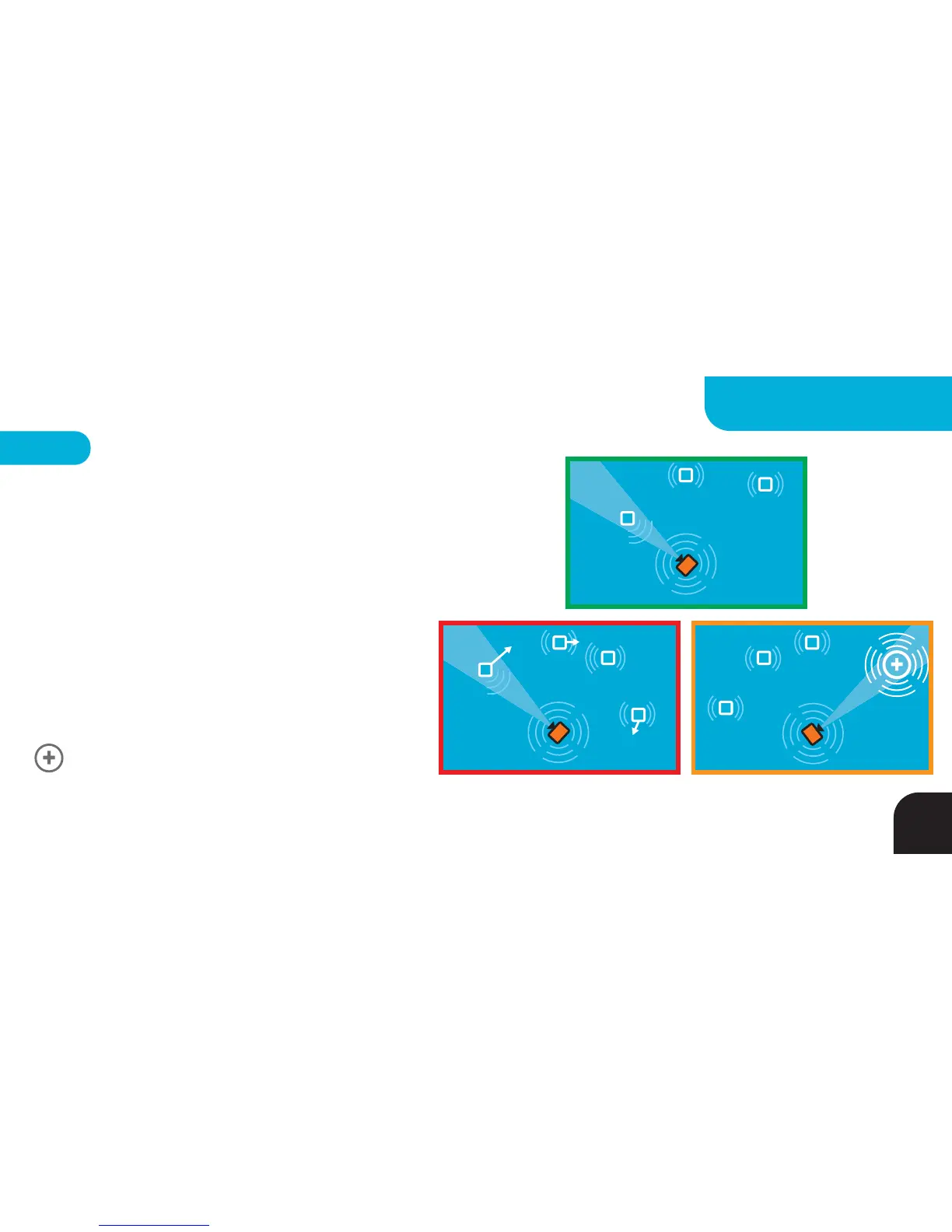
Multi Mode Settings
only available in Multi Mode
Use this setting to tell the Base when to switch
between Tags.
GREEN = Closest Tag Mode - Base will follow
the closest Tag
RED = Fastest Tag Mode - Base will follow the
fastest Tag
ORANGE = Follow Me Mode - Allows a
subject to call the Base by pressing their Tag’s
BUTTON or by triple tapping their Tag (firmly
tap the Tag three times in rapid succession).
LED 5
T
T
T
T
T
T
T
T
B
B
T
T
Single Base - to - Fastest Tag Single Base - to - Camera Call
Single Base - to - Closest Tag
B
39
MULTI SYSTEMS



 To Next Page