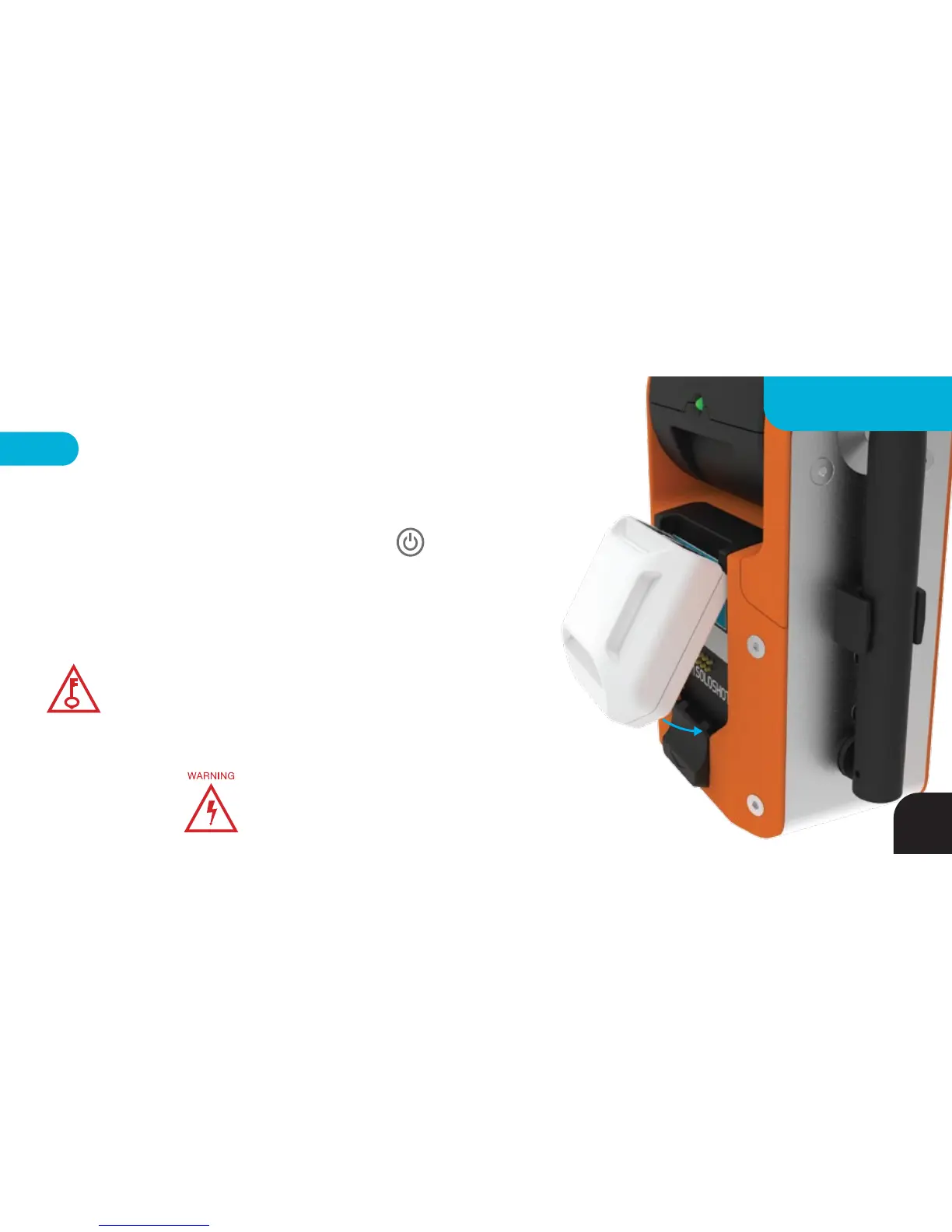
Tag
While holding the Tag at a 45 degree angle, dock the Tag into the
Base by connecting the depressions on the top of the Tag into the hooks at
the top of the accessory port and then bringing the Tag toward the port
until the release button clicks. The LED above the Tag’s POWER
BUTTON will turn
RED
when charging and
GREEN
when fully charged.
Note - the Base MUST also be plugged in to charge a Tag. Slide the dock
button down to release the Tag.
Make sure the Tag and Accessory Port are clean,
dry and clear of all debris before connecting.
Your Tag will be 80% charged after 1.5 hours, 80% after
2.5 hours, 90% after 4 hours and 99% after 5 hours at
which point the charging LED will turn GREEN.
KEY TIP
47
CHARGING



 To Next Page