SonicWall SonicWave <Version> Deployment Guide
Mounting Wireless Access Points
60
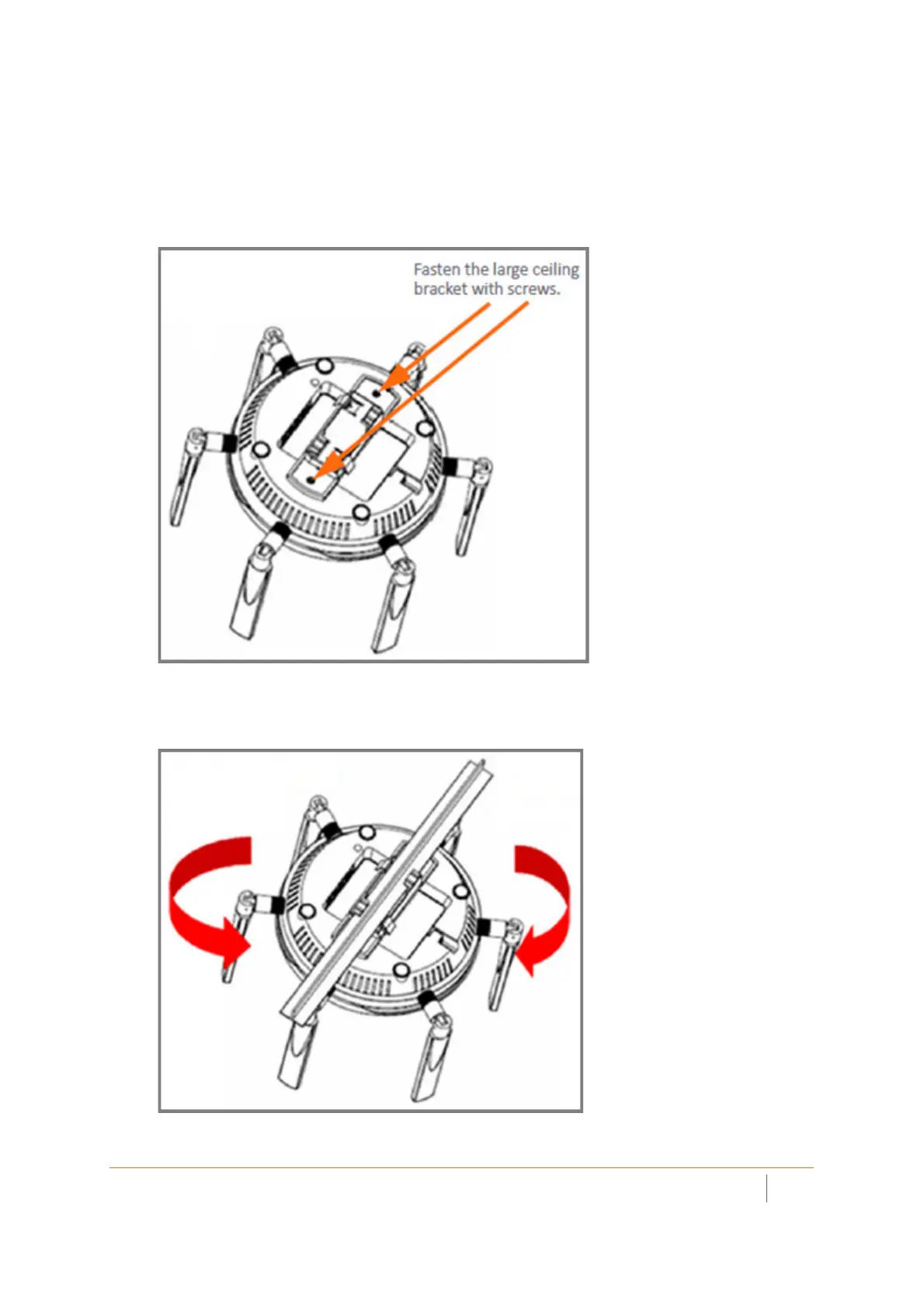
To mount the SonicWave 432i to a t-crossbar between ceiling panels using the original
configuration large bracket:
1Use the two provided screws to attach the original configuration large bracket to the underside of the
SonicWave.
To Fasten to Large Ceiling Bracket
2 BracketSupporting the SonicWave in one hand, position the edge clips of the bracket over the edge of
the ceiling tcrossbar and rotate the SonicWave counterclockwise (to the left when looking up at it) until
the bracket is securely attached to the t-crossbar.



 To Next Page