80-GB
(6) Tap [OK].
The Send screen appears again.
To cancel sending email
While sending email, tap [Cancel].
Tip
You can have your camcorder check the email inbox automatically after sending email.
For details, see “Setting other preferences” (p. 44).
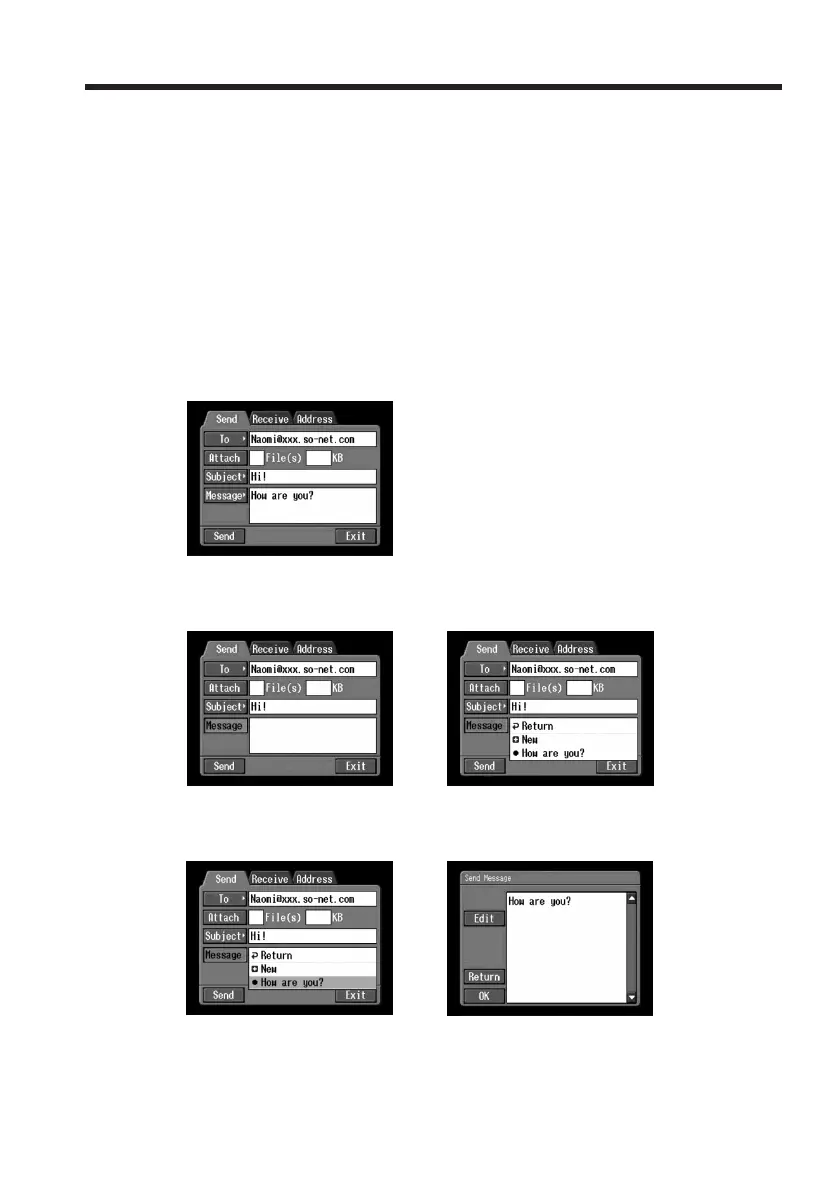
Checking or editing a message
(1) Follow steps 1 and 2 of 1 on page 74.
The Send screen appears.
(2) Tap [Message].
The message list appears.
,
(3) Tap the message you want to check or edit.
The following screen appears.
,
Using email














 To Next Page