8
For DHC-EX880MD
Step 1: Hooking up the system
(continued)
6
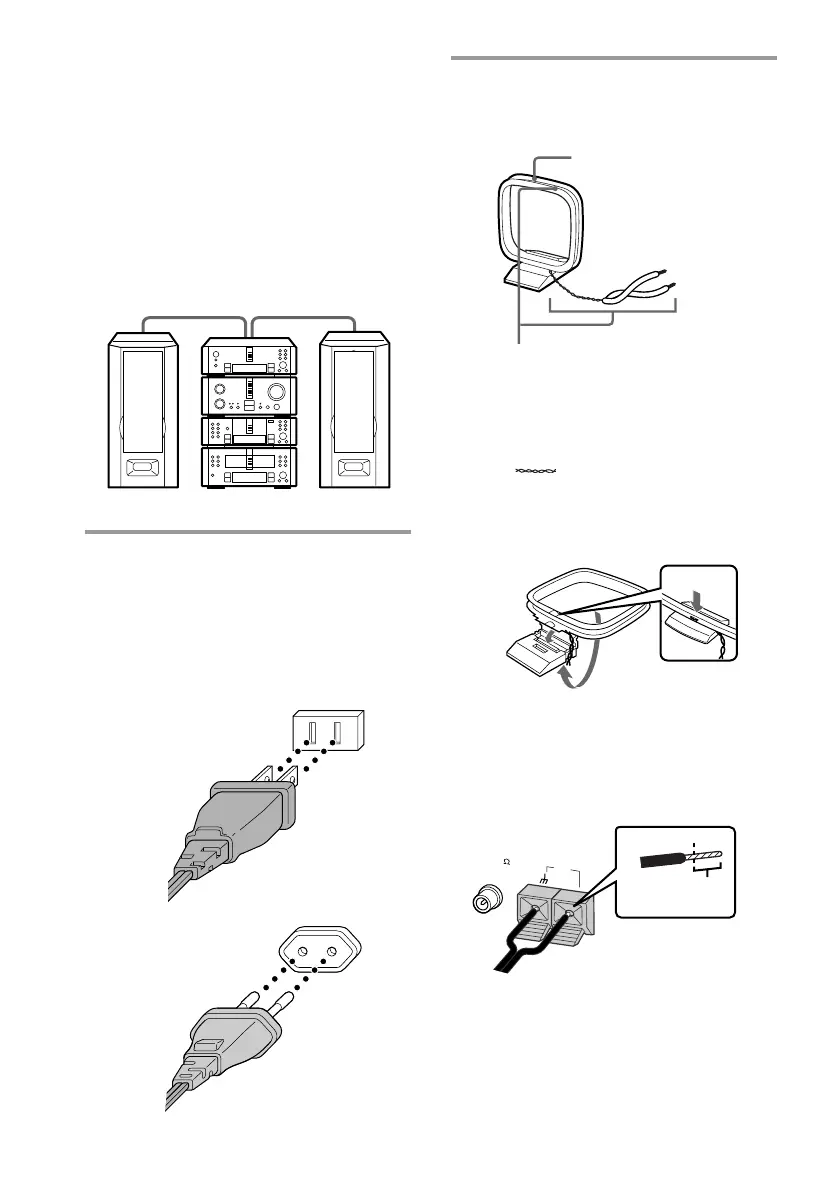
Connect the AM antenna.
The supplied AM antenna has the
following structure:
1 Remove only the twisted portion
(
) of the antenna from the
plastic stand.
2 Set up the stand.
3 Insert the antenna cord into the AM
antenna terminals.
Notes
• Keep the speaker cords away from the antennas to
prevent noise during radio reception.
• The supplied speakers can be used as either the
right or left speakers. Place the speaker connected
to the SPEAKER R terminals on the right side, and
the speaker connected to the SPEAKER L
terminals on the left side of the system.
DHC-MD717 is used for the illustration purpose.
5
Connect the amplifier power cord to
the tuner.
Connect the power cord extending from
the rear panel of the amplifier to the
power outlet on the rear panel of the
tuner.
This supplies power to the amplifier.
Tourist model
Other models
Left
Plastic stand
•
•
•
•
•
•
•
•
•
0
10
Right
Antenna
The antenna is the proper shape
and length for receiving AM radio
waves, so do not remove or roll up
the antenna.
AM
FM75
Insert this
portion.









 To Next Page