D:\Chin Meng's job\SONY-LCD\SY0142_Z115 (Rev-2)\3293042121_GB\01GB01BAS_GB.fm
2 (GB)
KLV-26S400A/3-293-042-12(1)
English
GB
To Customers:
For product protection and safety reasons, Sony strongly
recommends that installing of your TV be performed by Sony
dealers or licensed contractors. Do not attempt to install it
yourself.
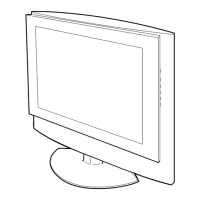
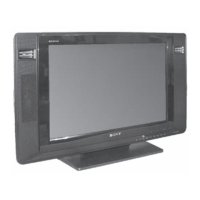
Your KLV-26S400A/KLV-26T400A/KLV-26T400G/
KLV-19T400A/KLV-19T400G/KLV-19T400W can be
installed using SU-WL100 Wall-Mount Bracket (sold
separately). Please provide your licensed contractor with this
installation supplement as well as the Instructions (supplied
with the SU-WL100 Wall-Mount Bracket). Read these
documents carefully for safety and proper installation.
To Sony Dealers and Contractors:
Provide full attention to safety during the installation,
periodic maintenance and examination of this product.
Installing the TV
The TV can be installed on a wall by attaching a Wall-
Mount Bracket (sold separately).
Verify your TV’s model number and be sure to use the
bracket specified for your model only. Refer to the
steps on this manual along with the Instructions
supplied with the SU-WL100 Wall-Mount Bracket, to
properly carry out the installation.
Open the Wall-Mount Bracket package and check the
contents for all required parts along with the
Instructions.
Refer to the Instructions for the SU-WL100.
Decide where you want to install your TV. Refer to the
last 3 pages of this manual for the TV installation
dimensions and determine the location.
Refer to the Instructions for the SU-WL100.
Refer to the Instructions for the SU-WL100.
Sufficient expertise is required for installing this
product, especially to determine the strength of the
wall for withstanding the TV’s weight. Be sure to
entrust the attachment of this product to the wall to
Sony dealers or licensed contractors and pay
adequate attention to safety during the installation.
Sony is not liable for any damage or injury caused
by mishandling or improper installation.
Step 1: Checking the parts
required for the
installation
Step 2: Adjusting the position
of the holders of the
Base Plate
Step 3: Deciding on the
installation location
Step 4: Installing the Base
Plate on the wall
KLV26S400A_GB.book Page 2 Tuesday, June 24, 2008 9:14 AM


 To Next Page