D:\Chin Meng's job\SONY-LCD\SY0142_Z115 (Rev-2)\3293042121_GB\01GB01BAS_GB.fm
3 (GB)
KLV-26S400A/3-293-042-12(1)
GB
Before detaching the Table-Top Stand, disconnect all
the cables from the TV.
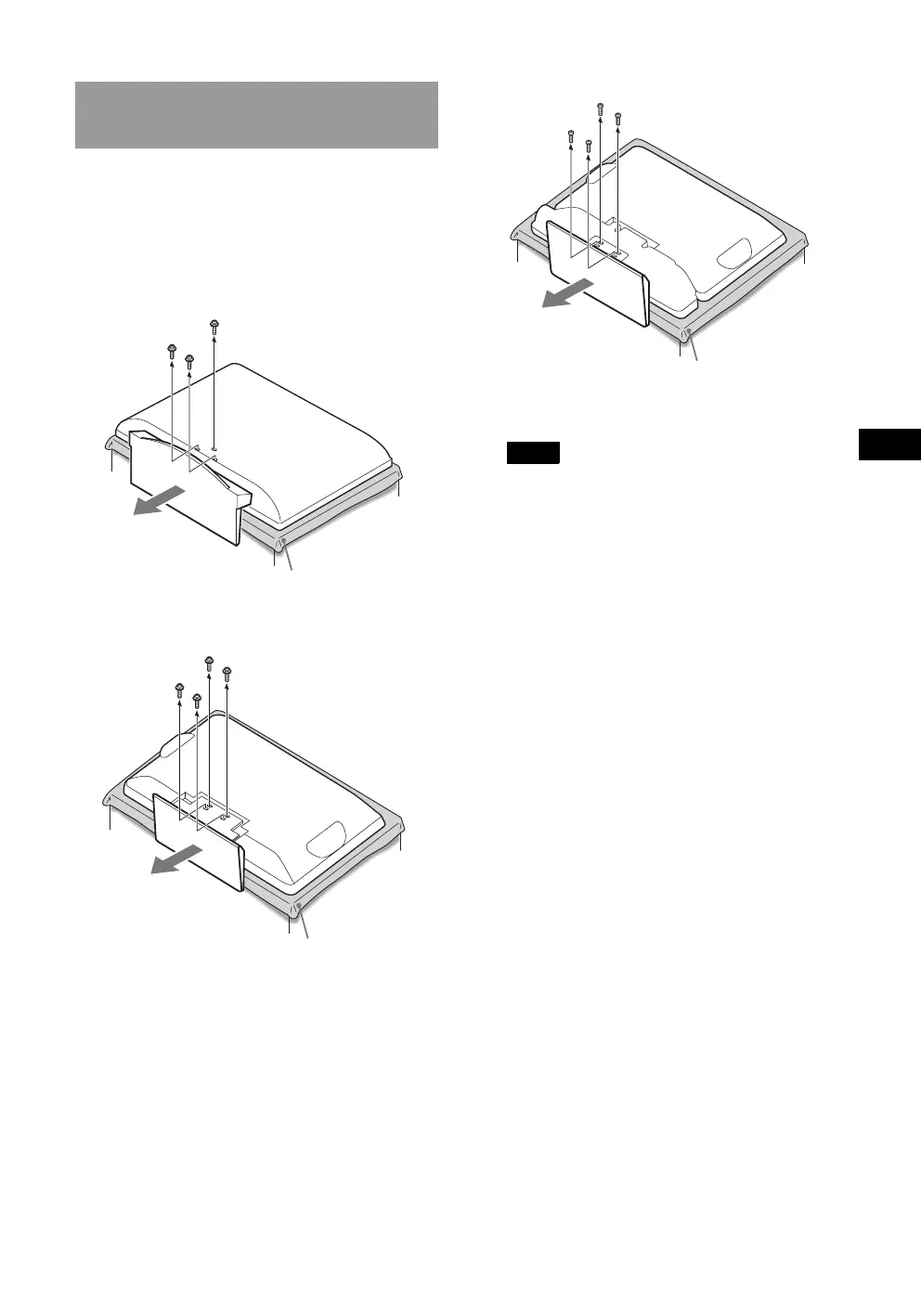
1 Remove the screws from the rear of the TV.
Then detach the Table-Top Stand from the
TV.
B For KLV-26S400A
B For KLV-26T400A/KLV-26T400G/KLV-19T400A/
KLV-19T400G
B For KLV-19T400W
Do not remove any other screws from the TV.
Notes
• When removing the Table-Top Stand from the TV, lay
the display face down on a stable work surface that is
larger than the TV.
• To prevent damaging the surface of the LCD display,
make sure to place a soft cloth on the work surface.
• If pressure or shock is applied to the surface of the TV,
the LCD display may break or become damaged.
• Lay the display face down on a stable and level surface
with the Table-Top Stand hanging over the edge of the
surface. Having the display face and the base of the
Table-Top Stand on the same level surface will create
an unstable working condition and can damage the
TV.
• When detaching the Table-Top Stand from the TV,
hold the Table-Top Stand securely with both hands.
Step 5: Preparing for the
installation of the TV
Soft cloth
Soft cloth
Soft cloth
KLV26S400A_GB.book Page 3 Tuesday, June 24, 2008 9:14 AM


 To Next Page