– 20 –
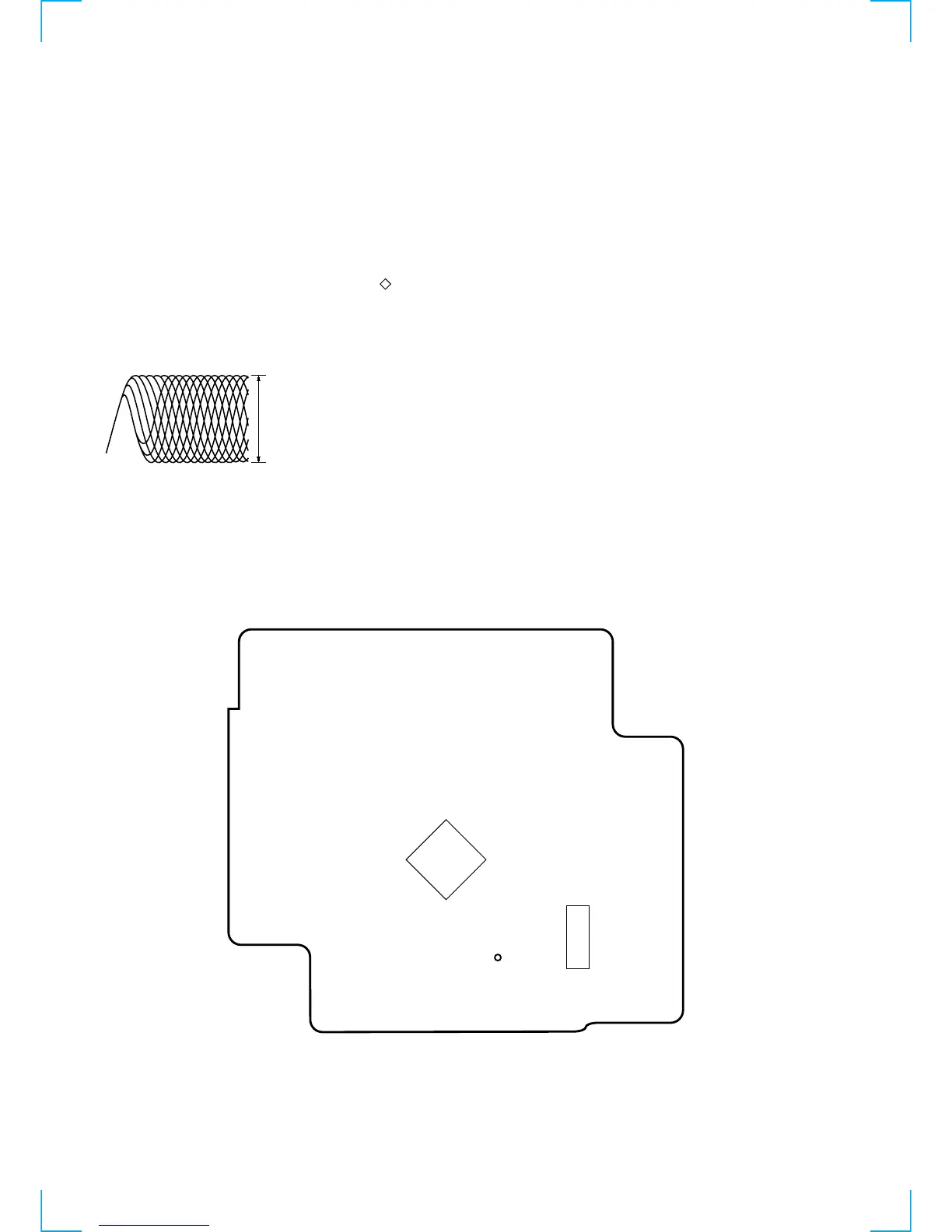
Adjustment Location: CD board
TP(RF)
IC701
IC702
–CD BOARD (CONDUCTOR SIDE) –
5-3. CD SECTION
Focus Bias Check
This check is to be done when the optical block replaced.
Check Procedure:
1. Connect the oscilloscope to test point TP (RF) on CD board.
Insert disk (YEDS-18 (3-702-101-01)).
2. Press the u button.
3. Check that the oscilloscope waveform is as shown in the figure
below (eye pattern).
A good eye pattern means that the diamond shape ( ) in the
center of the waveform can be clearly distinguished.
4. Release test mode after adjustment is completed.
• RF signal reference waveform (eye pattern)
VOLT/DIV : 50mV
TIME/DIV : 500 ns
(With the 10:1 probe in use)
1.1- 1.3 Vp-p
When observing the eye pattern, set the oscilloscope for AC range
and raise vertical sensitivity.


 To Next Page