50
RCD-W10
Supplementary Information
Method to Erase the CD-RW Disc
*Erase it in the following procedure, to reuse the CD-RW disc to electrical adjustment, or to use a disc other than blank.
* Be sure to erase it in the following procedure, to use the disc used for electrical adjustment for other uses.
4 Fig. A-1
4 Fig. A-2
4 Fig. A-3
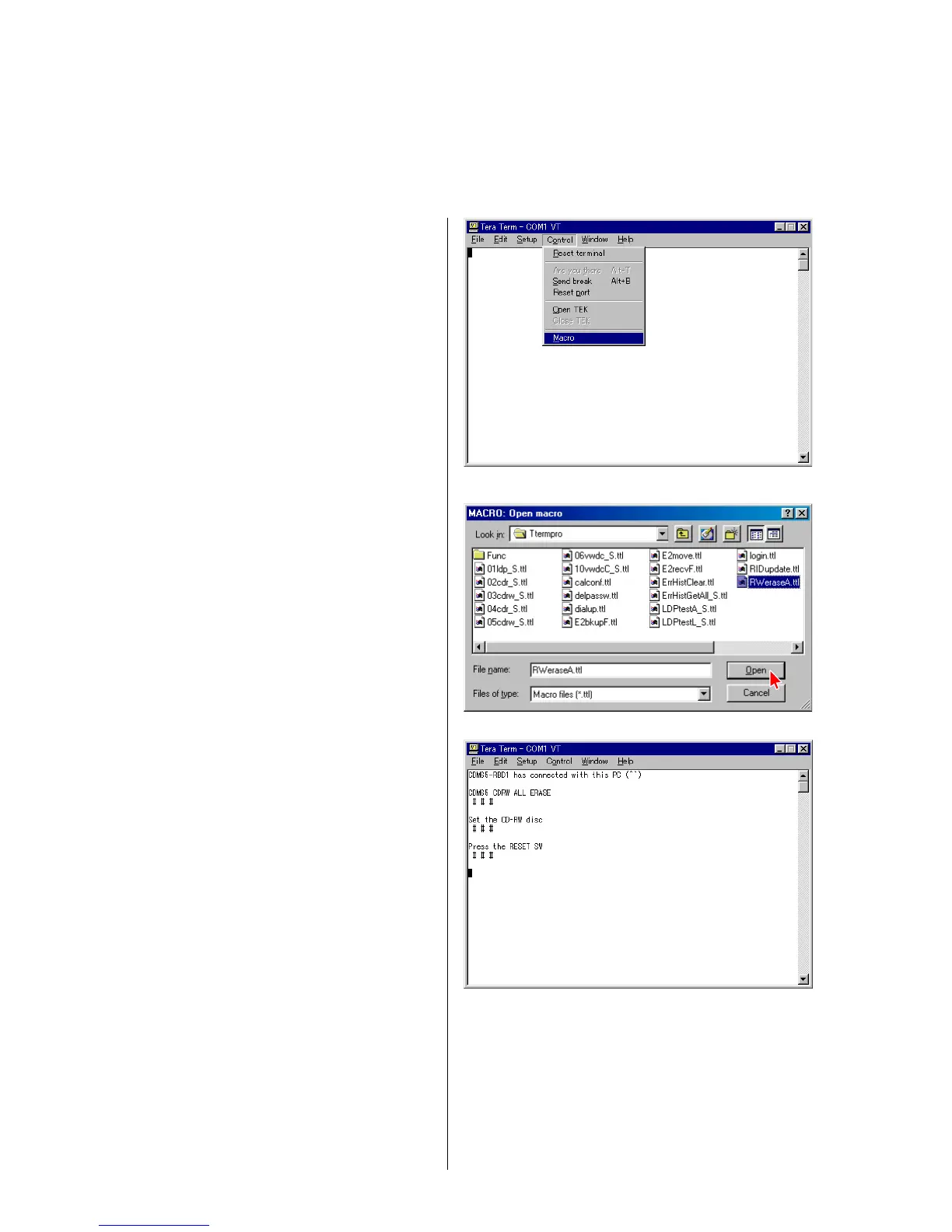
1) Select the menu as follows. Control → Macro, and select
RWeraseA.ttl.
Press “Open”. (Fig. A-1, A-2)
2) Press the “RESET” button (SW101) of the jig as prompted by
the display. (Fig. A-3)


 To Next Page
 Loading...